
If you have ever heard "press 1 for sales, press 2 for support," you already know the answer to what is an IVR system. It is the automated phone attendant that picks up before a person does. The old version was rigid and costly. The AI version lets callers just talk, and it can cost far less to run than most owners expect. Below, we explain how both work, what they cost, where they fail, and how they fit into voice AI for small business.
What Is an IVR System?
IVR stands for interactive voice response. IBM describes it as an automated telephone system that lets callers get or give information using voice or menu inputs. It is built on prerecorded messages or text-to-speech, plus a keypad interface called DTMF. DTMF is the set of tones your phone makes when you press a key.
The classic IVR is a menu tree. You record the prompts, decide which key leads where, and wire each branch to a person, a queue or a voicemail box. It works, but three things go wrong:
- Callers hit a branch that does not match their problem and press 0 for an operator.
- Every change to your hours, services or staff means re-recording or reprogramming the tree.
- The system routes calls but rarely finishes anything. A person still has to book the job.
The phone is still where many service businesses take bookings, emergencies and quotes. When nobody picks up, the caller has no reason to wait. We don't have a verified figure for how many callers hang up on voicemail, so we won't quote one. Look at your own call log instead. Count the missed calls in a typical week.
How AI Changes the Menu Tree
An AI IVR replaces the keypad menu with speech. IBM notes that more advanced IVR software lets callers say what they need, and speech recognition interprets the request in real time. In practice, three pieces work together:
- Speech-to-text turns the caller's words into text.
- A language model works out what the caller wants and picks the next step, such as checking the calendar.
- Text-to-speech reads the answer back in a synthetic voice.
Compare the two experiences. The old system says: "Press 1 for appointments, press 2 for billing." The AI system says: "Thanks for calling. How can I help?" The caller says, "I need a tune-up next Tuesday afternoon." The system checks open slots and offers two.
The real difference is not the voice. It is that the system can connect to your calendar, your customer records and your dispatch board, then finish the task. That connection is what we build under AI workflow automation built around your existing operation. Without it, you only have a nicer-sounding menu.
What an AI Phone Agent Can Do for a Small Business
Book and confirm appointments
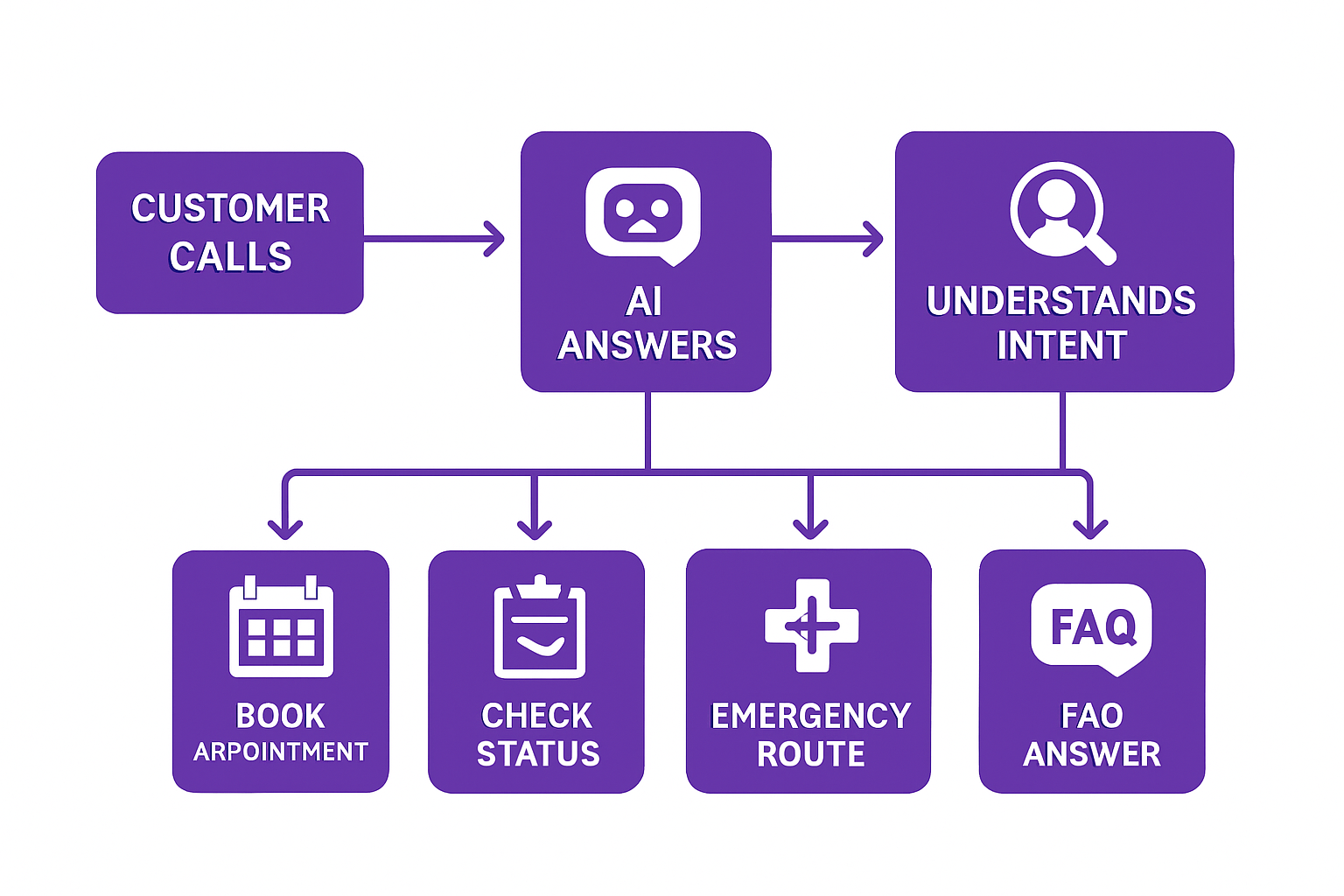
The agent asks what the caller needs, checks your calendar through its API (the connection other software uses to read and write your data), and offers open times. It books the slot and sends a text confirmation. Your team sees the booking in the same calendar they already use. For a deeper look at the booking side, see our guide to AI appointment booking software.
Answer the questions that repeat all day
Hours, service area, whether you take a given insurance or payment type, where to park. These answers rarely change, so the agent can read them from a short list you control. We can't give you a reliable share of your calls that are routine. Pull a week of call notes and tally them. That number should decide whether this project is worth doing.
Sort emergencies from routine calls
You set the rules, and the agent applies them. A caller with no heat at 2 a.m. gets sent to the on-call technician. A caller asking about pricing at 2 a.m. gets a callback slot in the morning. This is the use case behind our CRM for HVAC and plumbing companies, where calls, dispatch and service history sit in one system.
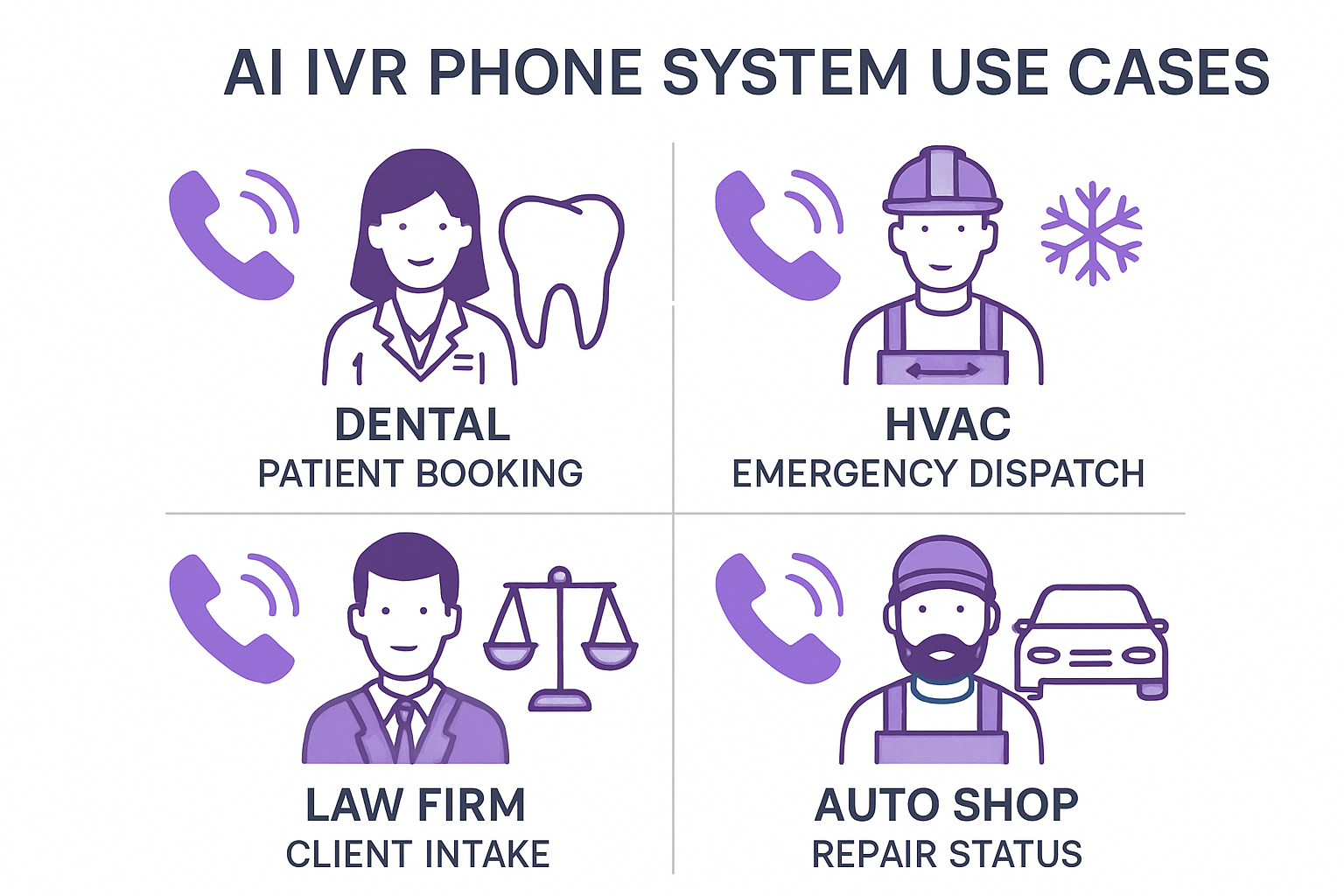
Write the emergency rules yourself. For a dental office, that might be severe pain or trauma. For a law firm, it might be an arrest or a filing deadline. The agent should never give medical or legal advice. It only decides who gets the call and how fast.
Capture after-hours leads
The agent takes a name, number and reason for calling. It then books a visit or promises a callback window. The lead is logged and waiting when your team opens. Whether that converts depends on how fast and how well your team follows up. A call recording does not close a job by itself.
Give status updates
"Is my car ready?" "When is the crew arriving?" The agent looks up the job record and reads back the status. This only works if your status data is current. If your crews update jobs at the end of the week, the agent will repeat stale information.
What It Costs, and What We Can't Tell You
The old pricing model charged per seat, per feature and per minute. The AI model is closer to utility billing. You pay for the phone line and minutes, then for the speech and language processing, then for the software that connects it all to your business.
Start with the phone layer, because it is published. Twilio's US pay-as-you-go pricing page, checked in October 2026, lists local numbers at $1.15 a month. It lists receiving calls on a local number at $0.0085 a minute. As an illustration, 300 inbound minutes in a month comes to about $2.55 in call charges plus $1.15 for the number, or $3.70.
That figure covers the phone line only. It does not include speech recognition, the language model, text messages, call recording or your own monitoring. Those are billed by usage and vary by provider and model. Each provider sets and can change those prices, so we won't print a monthly total we can't confirm. We scope it per project against your real call volume.
The bigger cost is the build. The agent has to read from and write to your calendar, CRM and dispatch tools. Our published range for custom apps runs from $15,000 to $100,000+, depending on scope. We give a number only after seeing your calendar, CRM and dispatch tools, because the data connections drive the work.
What you don't pay for is also worth noting. A per-agent contact-center license charges for each human seat. A voice agent built on usage billing has no seat count, though your telephony provider may cap how many calls it can handle at once. Ask about that limit before you launch.
Where AI Phone Agents Fall Short
This is the part vendors skip. Plan for each of these before you turn it on:
- Speech recognition misses words. Heavy accents, background noise and bad cell connections cause errors. Have the agent read back names, phone numbers and addresses.
- It needs a clean handoff. Callers who ask for a person, or who sound upset, should reach one. The agent should pass along a short summary so they don't repeat themselves.
- It can say wrong things confidently. Limit it to answers from your approved list and your live records. Review a sample of transcripts every week, especially in the first month.
- Disclosure and recording rules apply. The Federal Communications Commission ruled in February 2024 that calls made with AI-generated voices count as "artificial" under the Telephone Consumer Protection Act. That matters most if the system calls or texts people back. Recording and consent rules also vary by state. Ask your own attorney before launch. We don't give legal advice.
Also keep a plain fallback. If the system or the internet connection goes down, calls should forward to a mobile number or to voicemail, not ring out.
How It Connects to the Rest of Your Business
A voice agent is one front door among several. Callers, web visitors and text senders often want the same things. Your answers, rules and records should live in one place that every channel reads from. Otherwise you maintain the same hours and policies in three systems.
Our automated customer service for local businesses post covers how to split work between channels. If your customers mostly type, AI chatbots for small business are usually the cheaper first step. For a real example of this pattern, the WRAPT wholesale operations platform we built includes an omnichannel support hub with a web-chat agent called TAMI. A voice channel would draw on the same kind of records.
The usual integration points are:
- Calendar or scheduling tool, to book real slots.
- CRM (customer relationship management software), to pull the caller's history and log the call.
- Dispatch or job board, to give accurate ETAs and route emergencies.
- Billing, to answer invoice questions without exposing card data.
Getting Started Without Replacing Your Phone Number
You usually keep your number. You either forward calls to the voice agent or port the number to the telephony provider. Forwarding is the lower-risk start, because you can switch it off in a minute.
A sensible first pass looks like this:
- Log every missed and after-hours call for two weeks. Note the reason for each.
- Pick one job for the agent, such as after-hours capture or booking. Do not start with five.
- Write the emergency rules and the approved answers in plain language.
- Run it after hours only for a few weeks. Read the transcripts. Fix the gaps.
- Extend to business hours overflow once the transcripts look right.
We don't promise a timeline until we see your systems. A module added to existing software takes less work than one built alongside a new platform. If you serve Medford, Burlington County or the wider Philadelphia area, we can talk through your call log together. We also work with clients nationwide. If your call history has nowhere to live yet, a custom CRM that logs every call and customer record is usually the first fix.
Frequently Asked Questions
What is an IVR system in simple terms?
An IVR, or interactive voice response, system is software that answers your phone and handles the caller before a person does. Older ones use keypad menus ("press 1"). Newer ones use speech recognition so callers can say what they need. It can route the call, answer a question or complete a task like booking.
How does AI make an IVR system affordable for a small business?
AI replaces the fixed menu tree and the human operator for routine calls, and the phone layer is billed by usage. Twilio's US pricing page, checked October 2026, lists inbound local calls at $0.0085 a minute plus $1.15 a month per number. Speech, AI model and build costs are on top, so get a scoped quote.
Will an AI phone agent replace my receptionist?
Usually not. It handles repeat questions, after-hours capture and simple bookings, and it hands off anything upset, unclear or high-stakes to a person. Most small businesses use it to cover calls nobody can answer, not to remove the front desk. Review transcripts regularly so you catch mistakes early.
Do I need to change my phone number or system?
No, in most cases. You can forward calls to the voice agent or port your existing number to a telephony provider. Forwarding is the easiest way to test, because you can turn it off immediately. The agent still needs connections to your calendar and customer records to do real work.
Prices in this article are starting ranges published on iolab.co/pricing. Hosting, third-party subscriptions and ongoing support are scoped separately in your proposal.
Want to see whether a voice agent would pay off for your call volume? Book a free consultation and bring a week of your missed-call log. We will tell you honestly if a simple forwarding rule or a chatbot would do the job.
Sources
Every outside claim in this article links to where it came from. These open in a new tab.
- IBMibm.com
- Twiliotwilio.com
- Federal Communications Commissionfcc.gov