
01
Tell Nido about your place
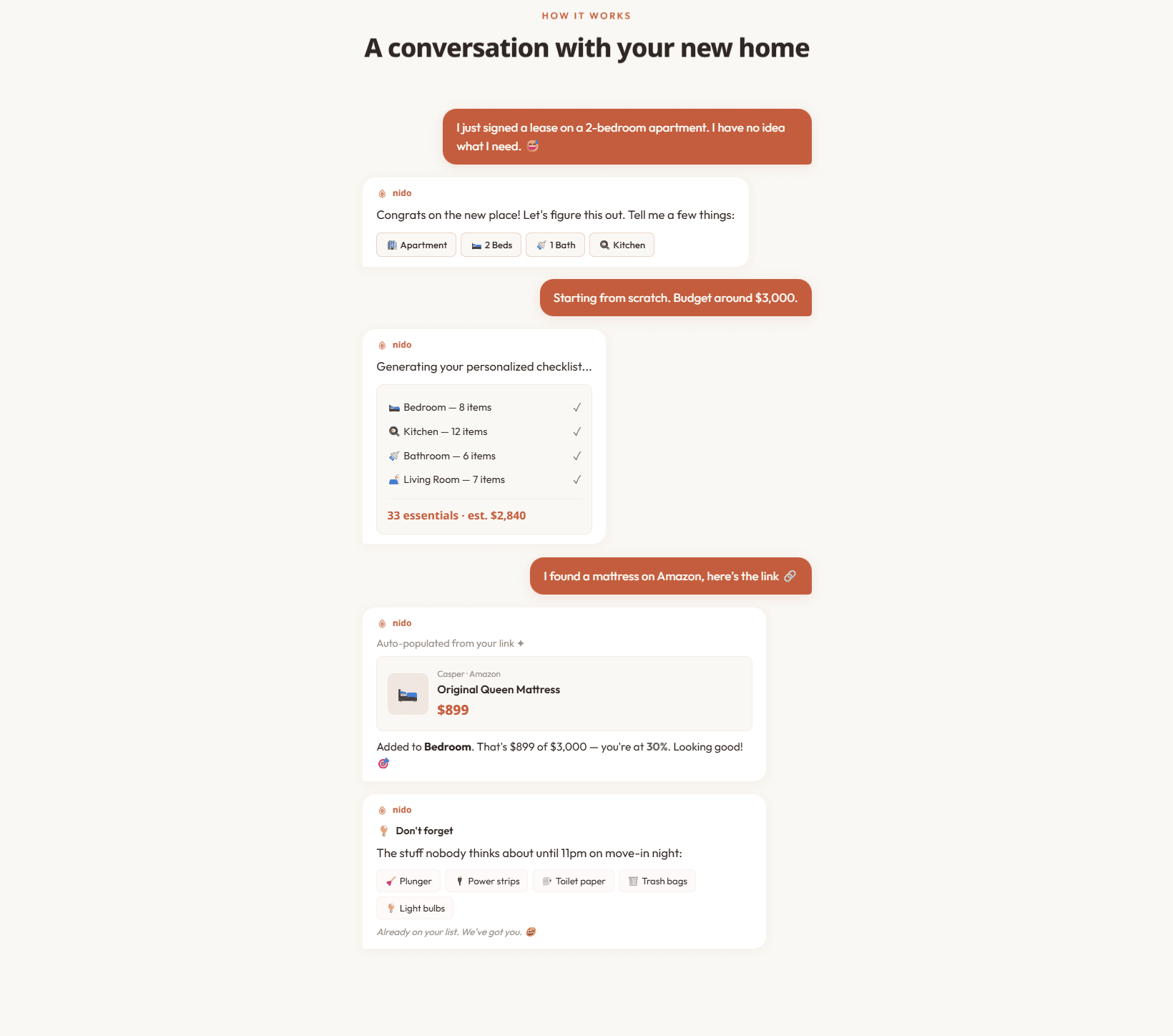
A short conversation — no forms, no spreadsheets. Apartment or house, bedrooms and baths, your budget.

Tell Nido about your new home — the way you'd tell a friend — and it turns the overwhelm of moving into a calm, AI-generated plan: a complete, room-by-room shopping checklist with real prices, prioritized, budget-tracked, and including the stuff people forget until 11pm on move-in night.
Moving into a first apartment or new home is genuinely stressful: you don't actually know everything you need, you forget essentials until the worst possible moment, you blow past your budget without realizing it, and coordinating who-buys-what with roommates is chaos.
Generic printable checklists don't know your place, your taste, or your budget. Nido replaces them with a personalized, budget-aware plan generated in seconds — and it remembers the plunger.
Three steps, sixty seconds, no spreadsheet.
A short conversation — no forms, no spreadsheets. Apartment or house, bedrooms and baths, your budget.
AI generates every item you need, by room, with real prices and priorities — including the stuff people forget.
Track spend against budget, paste product links, invite roommates, and catalog what you already own.
Nido is built to be the operating system for your home. A pill toggle switches between what you still need to buy and what you already own — and the two stay perfectly in sync.
The AI essentials checklist — what you need to buy for the new place, by room, with prices, budgets, and paste-a-link entry.
Catalog and pack what you already own — photograph items with Claude Vision, pack them into QR-coded bins, and never re-buy something you have.
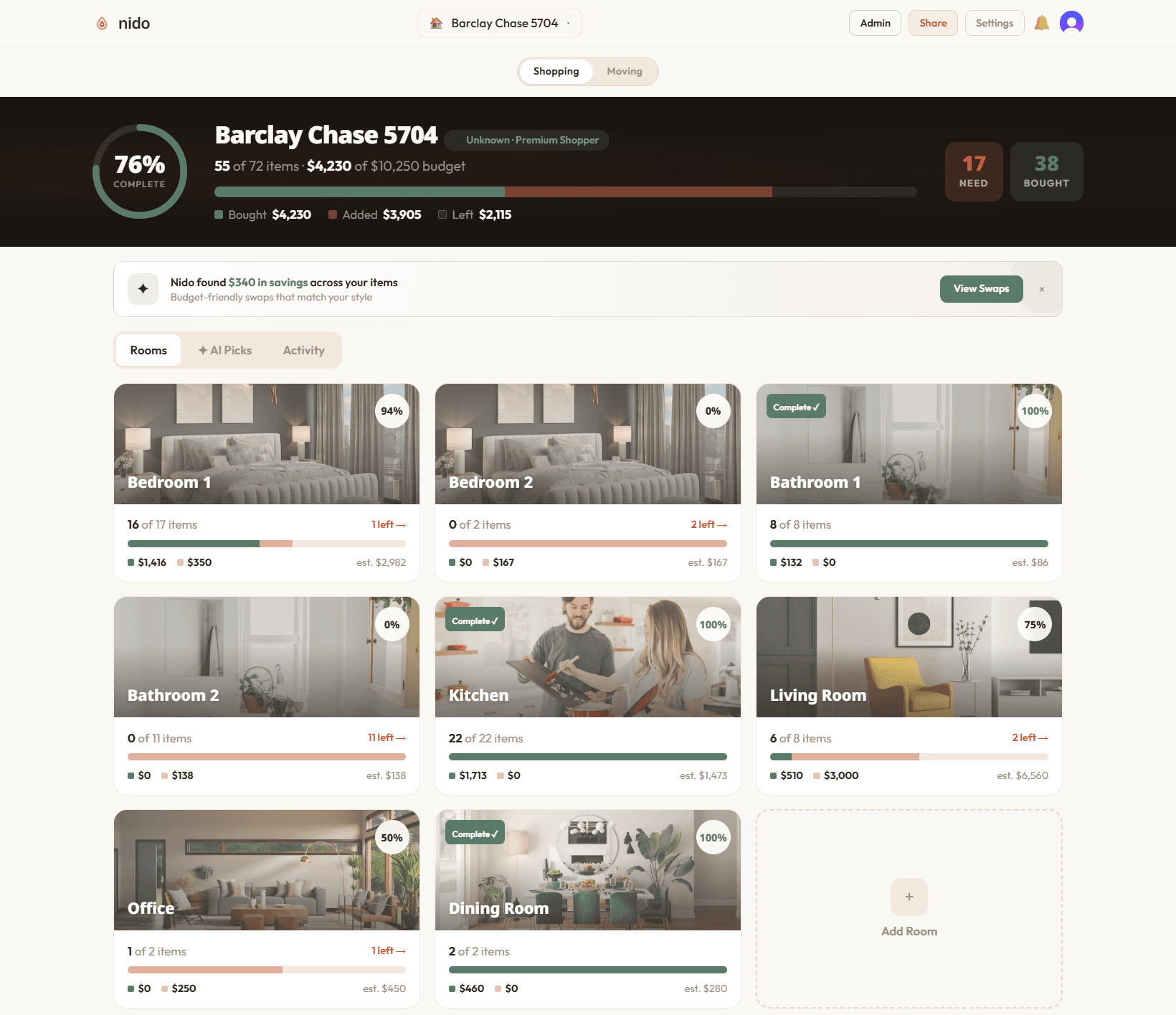
Every room gets its own checklist, budget, and progress bar — bedrooms, baths, kitchen, living room, office — with a bird's-eye view of completion and spend across the entire place.
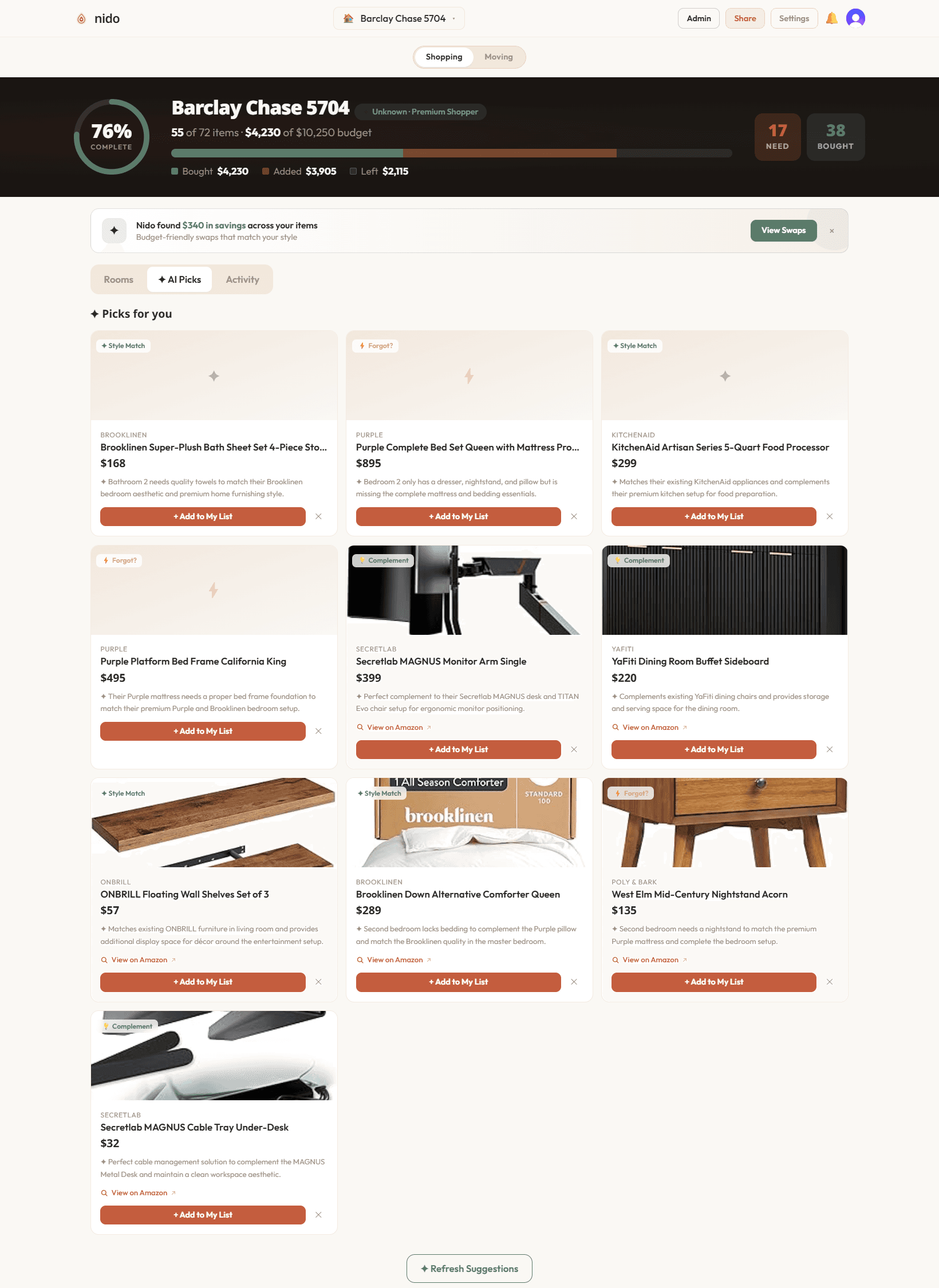
Nido tracks spend against your stated budget in real time and, when you're heading over, surfaces cheaper alternatives that still match your style — “Nido found $340 in savings across your items.”
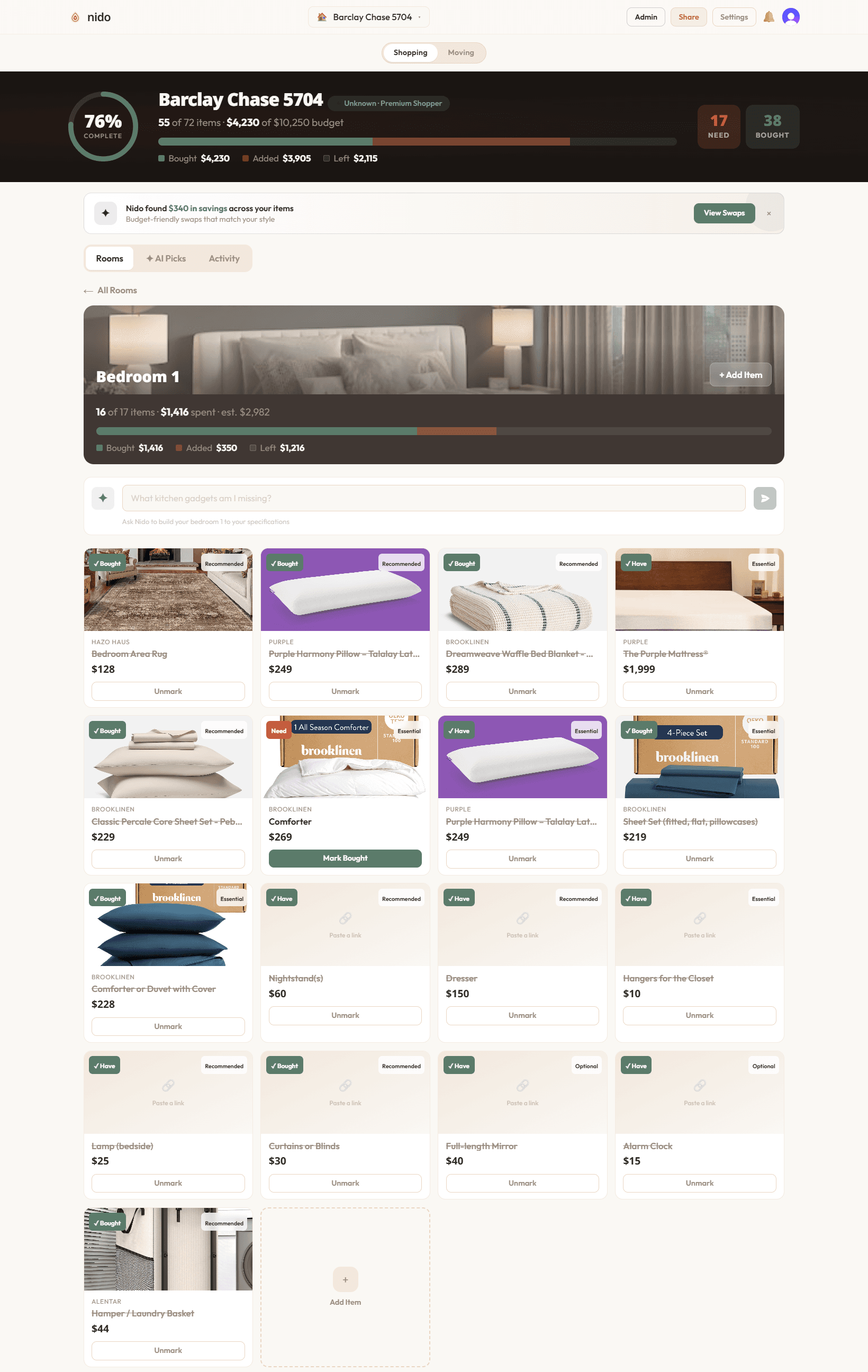
Inside a room, every item carries a real price and priority, and the commonly-forgotten essentials are already there. Paste any product URL and Nido auto-fills the name, image, price, and retailer into the right room.
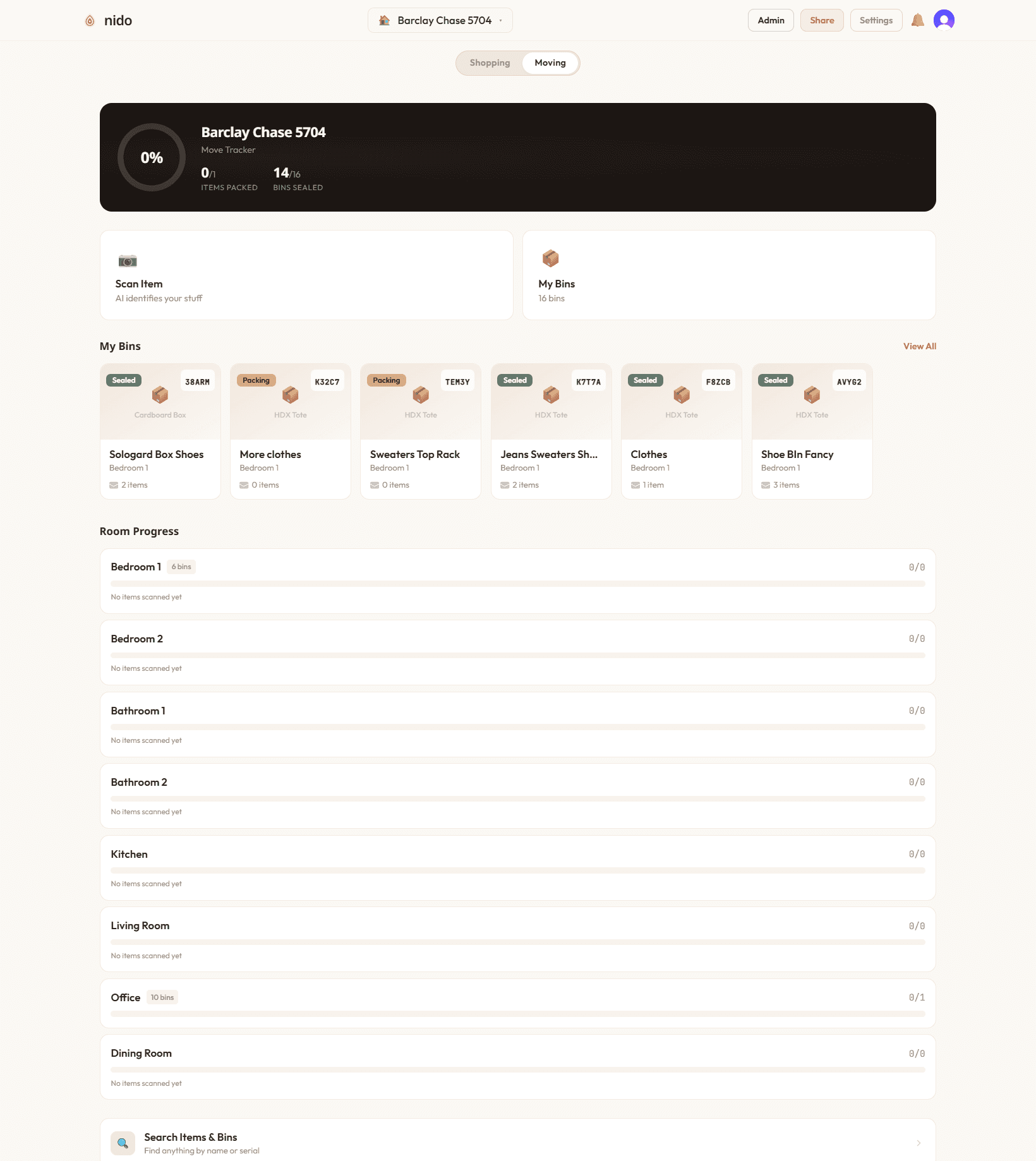
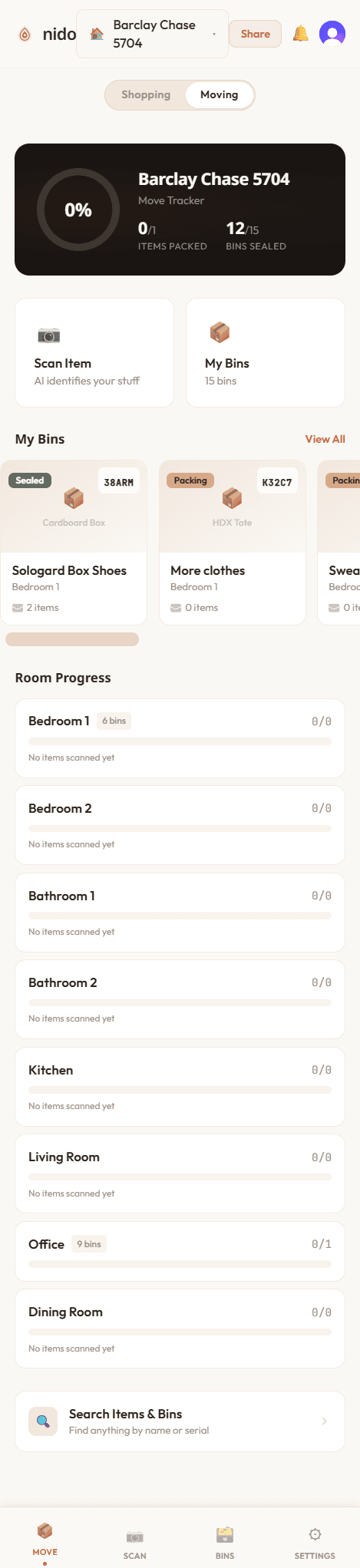
The Move Tracker is the second pillar: photograph and catalog the things you already have, so you never re-buy them. Owned items auto-mark as “have” on the shopping checklist and adjust the budget.
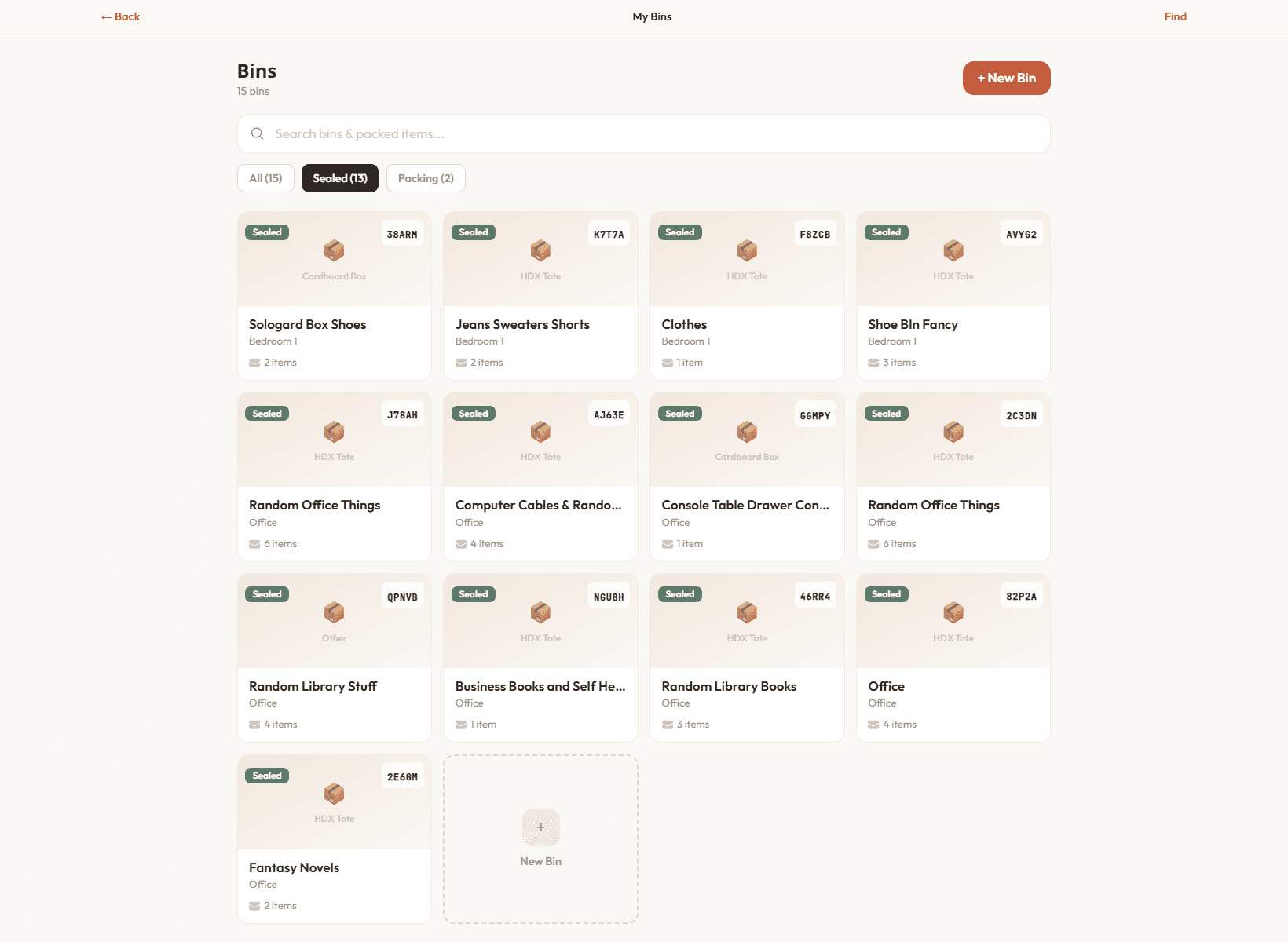
Pack items into bins; each bin gets a QR code and a 5-digit serial. Scan the QR or type the serial to see exactly what's inside — sealed or still packing — and find anything on move-in day.
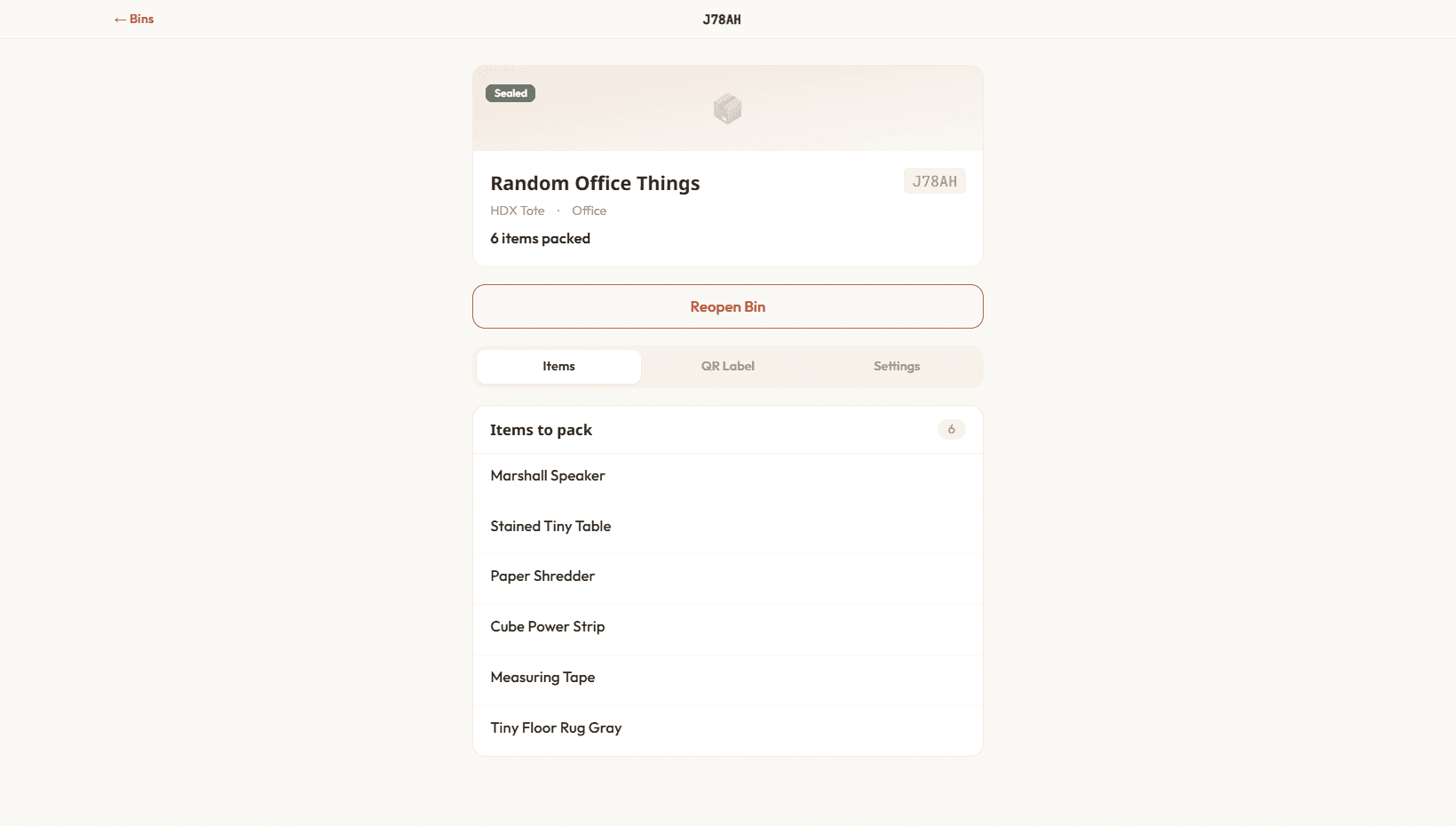
Each bin's detail view lists its contents, room, and container type, with a serial for quick lookup — so the question “which box is the coffee maker in?” has an instant answer.
Shopping and Moving share one home/room model and stay in sync through a bidirectional event engine — the real state-management problem at the heart of Nido.
Invite roommates or a partner with a shareable link — no account required for them to view, claim items, and split costs — and track who's buying what, turning a messy group move into one coordinated plan.
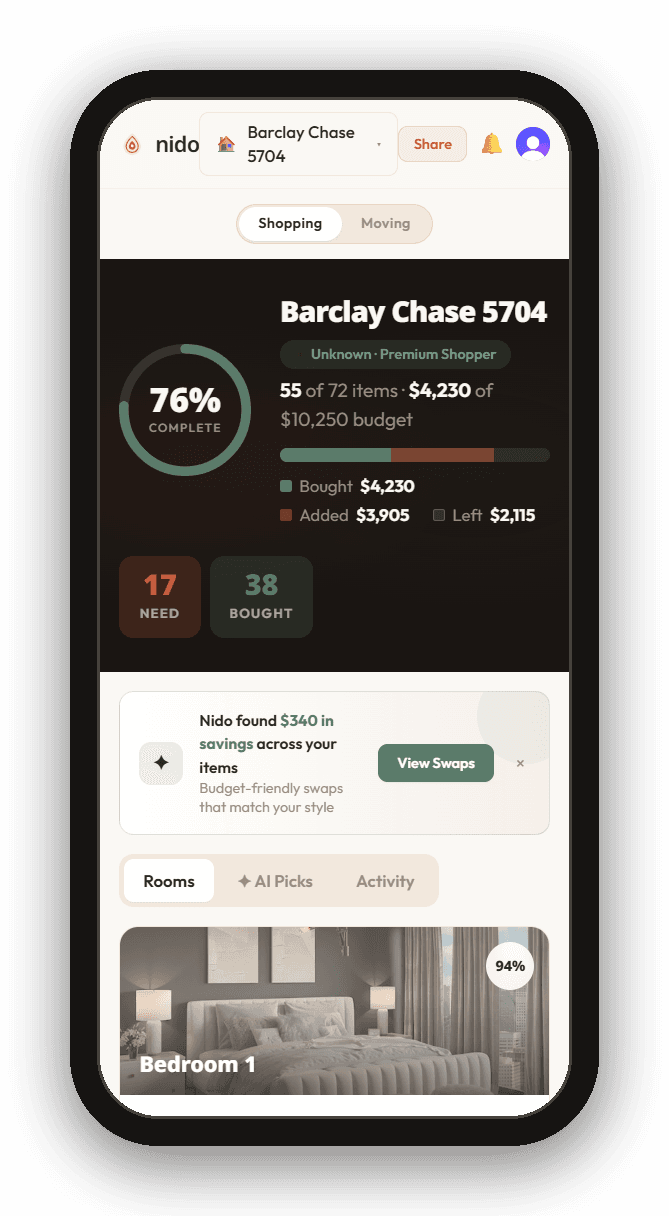
And it's built mobile-first, working cleanly down to 375px, because the whole thing happens while you're standing in an empty apartment with your phone.


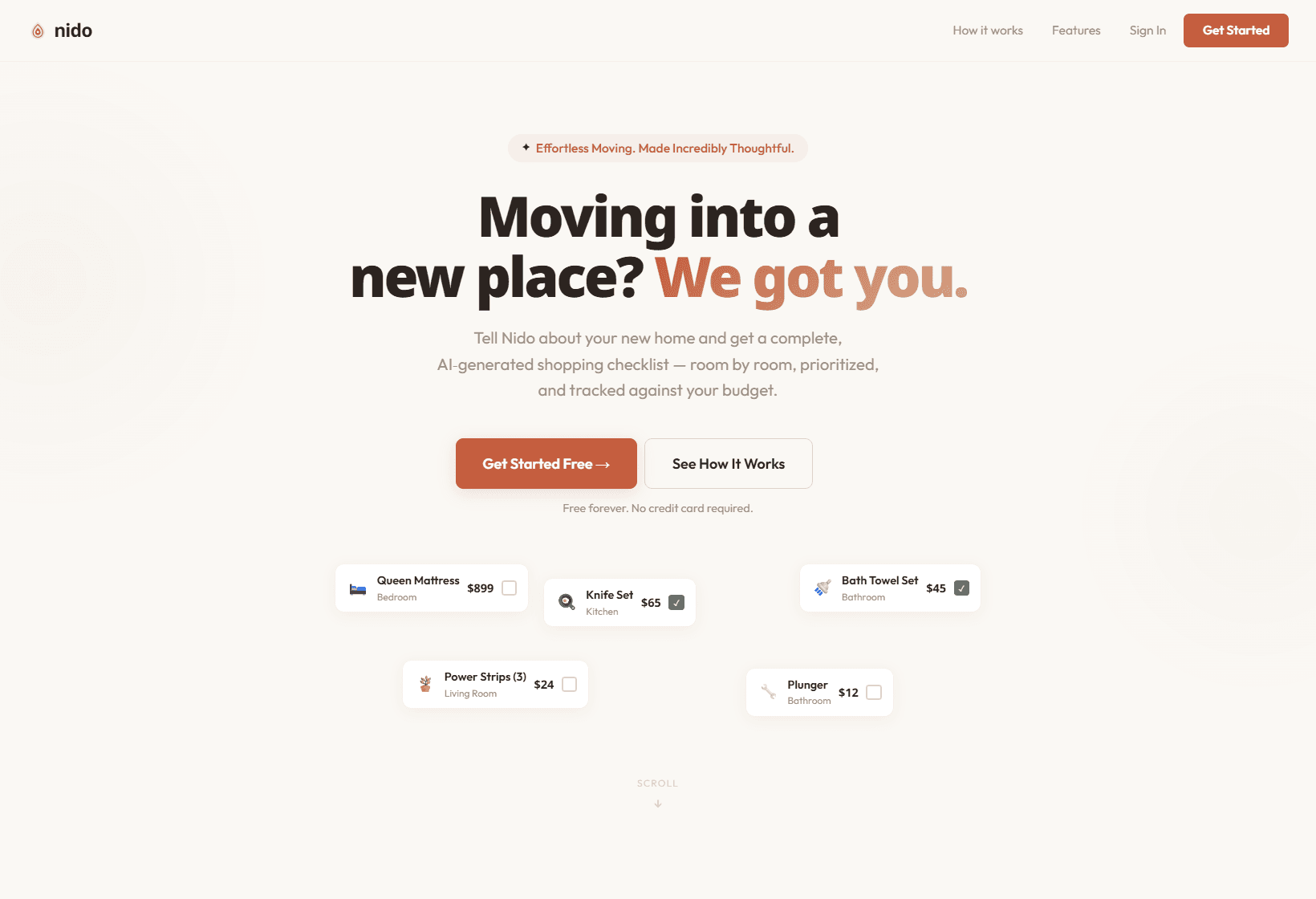
“Nido” means nest. The whole brand is calm and reassuring — terracotta and sage on warm cream, with a single animated chat-thread landing page that tells the product story conversationally.
Nido is our own venture — AI generation, Claude Vision, and a real bidirectional sync engine, built end to end. That's the depth we build for clients. Let's map yours.
Related: Meez · Tappd · AI Automation