
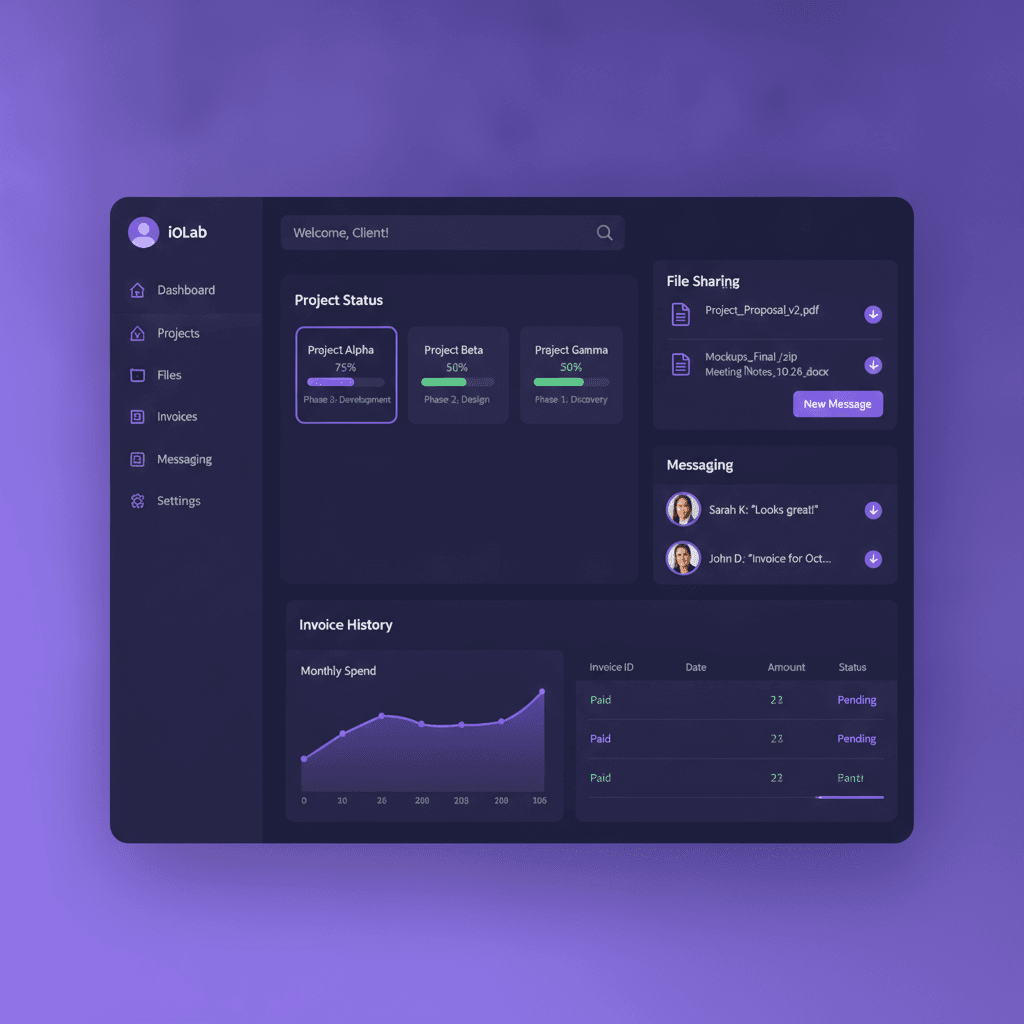
Clients keep emailing "can you resend that invoice?" and "where does my project stand?" because they have nowhere else to look. A custom client portal for small business gives them that place: a private, branded login for documents, status, messages and payments.
This guide covers what to put in it, how to plan the build, what drives the price and when you should not build at all. It sits under our wider look at custom software vs SaaS for small business. We write it for South Jersey and Philadelphia-area owners, though the steps apply anywhere.
What a Client Portal Is and What It Replaces
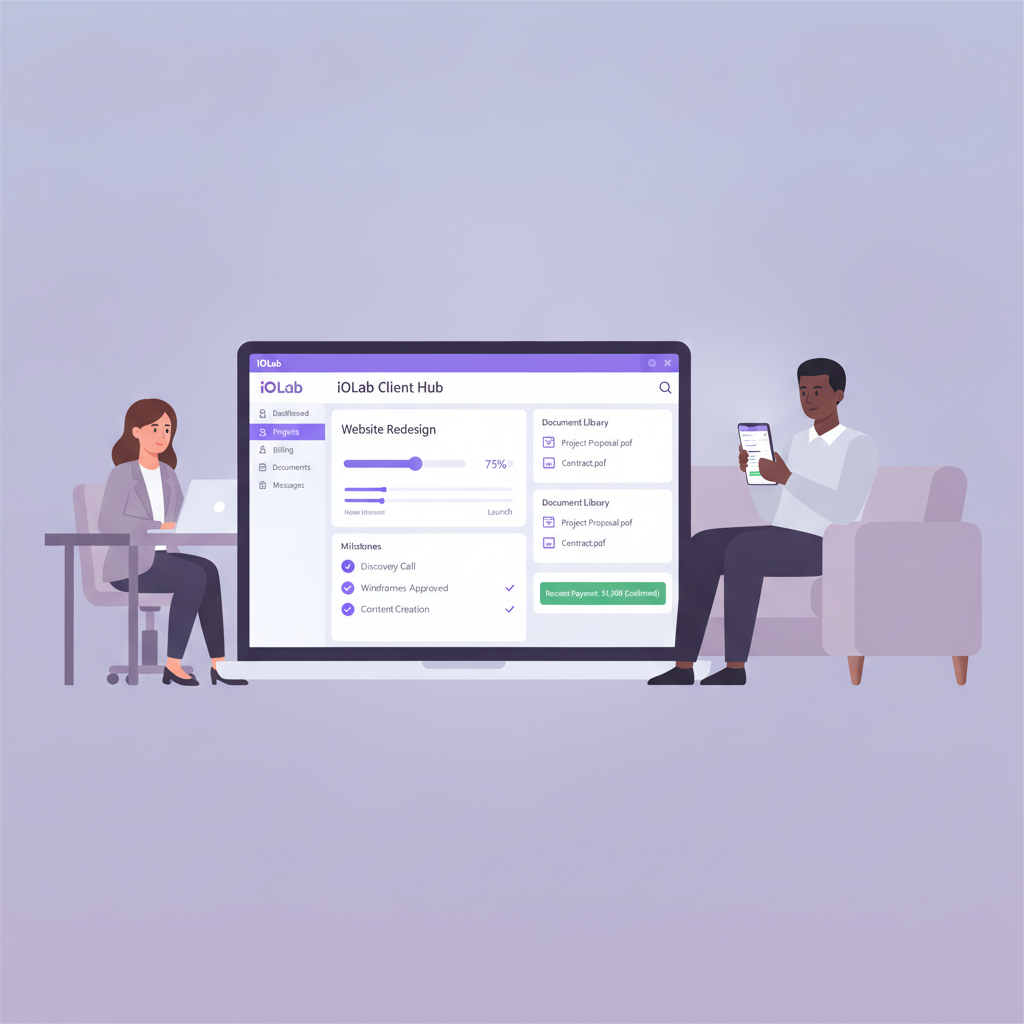
A client portal is a private web application your clients reach with a login. Each client sees only their own records. You see everything.
Depending on your workflow, it can include:
- Document storage and sharing for contracts, proposals, reports and onboarding files
- Job or project status so clients can check progress without emailing you
- Invoices and payments in the same place the work is tracked
- Messages or support tickets kept in one searchable thread per client
- Booking and appointment tools for service businesses
- Client-specific dashboards showing the numbers that matter to that account
The point is fewer interruptions, not impressive screens. Every status question a client can answer for themselves is one less phone call or text thread you handle.
Portals pay off most where relationships run for months: law firms, contractors, marketing agencies, accountants, consultants, real estate offices and dental or medical practices.
Where Generic Portal Tools Wear Thin
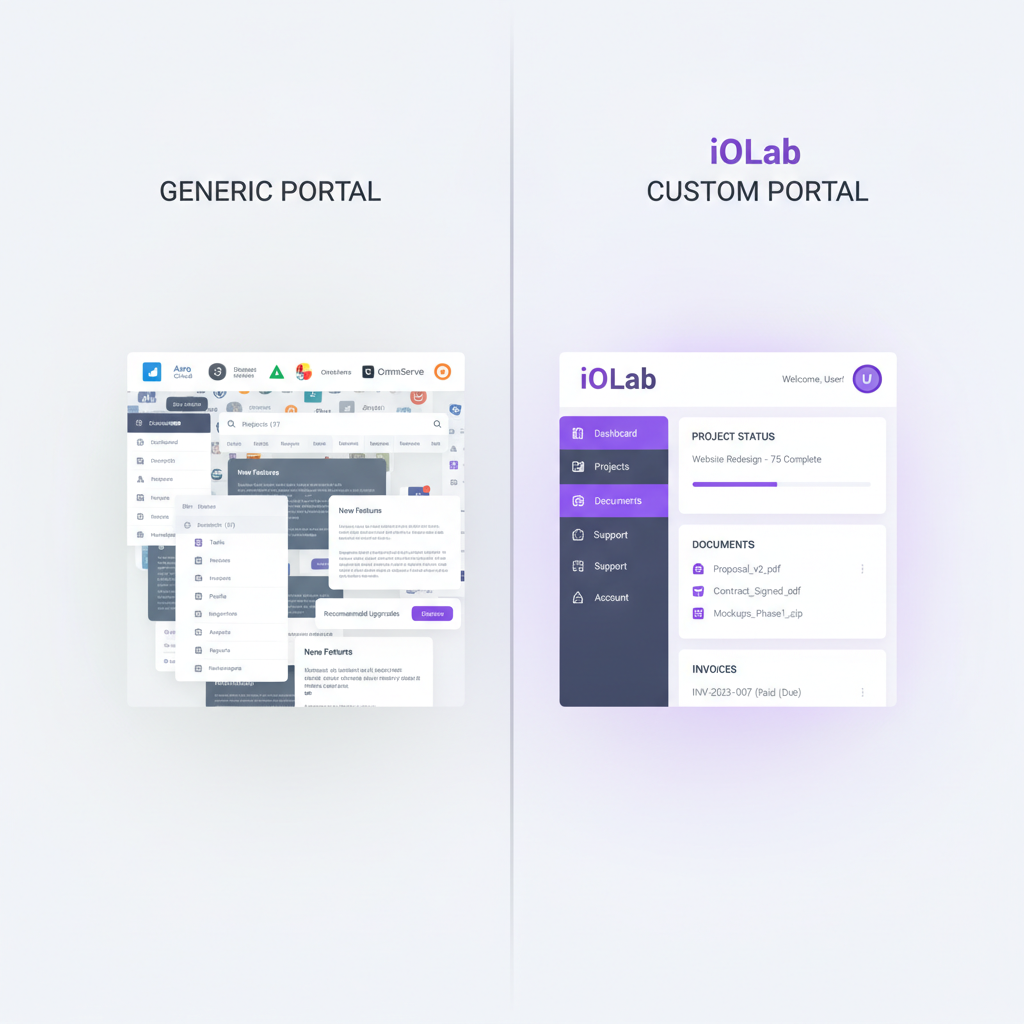
Tools such as HoneyBook, Dubsado and Zoho Projects are real products, and many businesses run on them. The friction tends to show up after a year or two of daily use. We have not benchmarked their current pricing for this post, so check each vendor's own pricing page before you compare.
Here is where small businesses usually feel it:
- Per-seat or per-client pricing. The bill grows with your client list, even though the software did not improve.
- Features gated by plan. White-labeling, custom branding and advanced reporting often sit on higher tiers. Check which tier removes the vendor's name from the client's screen.
- Integrations that need glue. Connecting the portal to your CRM and invoicing often means an automation subscription in the middle. An API is the doorway one program uses to talk to another. Each connection is one more thing that can break after an update.
- Workflows that do not match yours. If a client must approve a deliverable before billing starts, you may end up faking that step with notes and reminders.
- Migration cost. Moving years of client history to another platform takes staff time, and you do the retraining.
The monthly price rarely shows the whole bill. Add the integration tool, the storage upgrade and the extra seats, and the total looks different. We walk through that math in the true cost of SaaS stack bloat.
What a Custom Portal Does Differently
A custom build starts from how your business already runs, then builds the screens around it. Four things change in practice.
Your brand, start to finish. Your logo, colors and domain. Clients log in to your business, not a vendor's product.
Your approval steps. If a task moves to "Awaiting Client Approval," the client gets an email or text, and nothing downstream starts until they sign off. That step is part of the flow rather than a workaround.
Your existing systems. The portal reads from and writes to the CRM, invoicing and scheduling tools you already use. Our custom CRM work is built so the portal and the customer record share one source of truth.
Your client sees their slice only. A client logs in to see status, upload files and leave feedback. They do not need a seat in your internal project tool, and they never see internal notes or margins.
The same idea applies when you also run projects internally. Role-based dashboards let a project manager see deadlines, a field crew see today's task list and a client see a clean status view, all from the same data.
A real example from our own work
We built a client portal as one part of WRAPT, the wholesale operations platform. It sits beside a nine-stage lead-to-delivery pipeline and an omnichannel support hub, which includes a web-chat agent called TAMI. The portal is not a standalone product there. It reads the same pipeline data your team works from.
We also built the booking site and captain's CRM for Sand Bar Joe's, which shows the same principle on a smaller scale: the customer-facing side and the operator side share one record.
Features to Prioritize, by Type of Business
Do not ship every feature on day one. Pick the ones that answer the questions clients ask you most.
Service businesses: agencies, consultants, coaches
- Milestone tracking with client-visible status
- File upload and download with version history, so nobody approves an outdated draft
- Proposal and contract signing through an e-signature step
- Invoices with online payment
- One message thread per project
Contractors and trades
- Job status from quoted to approved to in progress to complete
- Photo uploads from the field
- Estimate and invoice history
- Scheduling and appointment confirmations
- Change order requests and approvals, with a record of who approved what and when
Dental, medical and wellness practices
- Appointment booking and reminders
- Intake forms submitted and stored in the client's record
- Secure document sharing
- Billing and payment history
- After-visit summaries or care instructions
If you handle health information, whether a build meets HIPAA or any other rule is a question for your own compliance counsel. We build the software to your requirements, but we do not give legal or compliance advice.
Every portal
- A layout that works on a phone, since clients check from one
- Email or text notifications when something changes
- Search across documents and messages
- Role-based access, meaning each login only sees what that role is allowed to see
- Multi-factor authentication, which asks for a second proof of identity such as a code
If clients are mostly on their phones, a native mobile app can add push notifications on top of the same portal data. Treat that as phase two, not a launch requirement.
Map the Workflow Before You Pick Features
The most common reason a portal disappoints is not the code. It is a workflow nobody wrote down. Before you talk to anyone about a build, do this on paper:
- List the questions clients ask you in a typical month. Check your sent mail and texts. Status, invoices and "did you get my file" usually top the list.
- Write the steps from first inquiry to final delivery. Mark where a client must act: sign, upload, approve or pay.
- Mark who inside your business owns each step. A portal that notifies nobody in particular just moves the inbox.
- List the tools that already hold the data. CRM, invoicing, calendar and storage. These decide the integrations.
- Decide what clients must never see. Internal notes, costs and other clients' records.
That one-page map is also what you hand us in discovery. It turns a vague "we need a portal" into a scoped list of screens, rules and connections.
What a Custom Portal Costs
Scope drives the price. A portal with logins, documents and messaging is a different project from one with live dashboards, e-signatures, payments and CRM sync. Each integration adds design, build and testing work.
For a range, our guide on how much a custom app costs lays out tiers from $15,000 to $100,000+. A portal usually lands in the lower tiers when it is narrow and moves up as you add integrations and a mobile app. We do not publish a portal-only price, and we would rather scope yours than guess.
Three costs sit outside the build and are scoped separately in a proposal: hosting, any third-party subscriptions the portal depends on (for example an email or text delivery service or a payment processor) and ongoing support. Ask any vendor, including us, to put those in writing next to the build price.
To compare against what you pay now, add up the whole current stack: the portal subscription, the integration tool, the storage upgrade, the extra seats and the staff hours spent on workarounds. Then compare it to the build plus outside costs over three years. We do that comparison in what three years of a client portal actually costs. Our pricing page lists the starting ranges for each service line.
How the Build Process Works
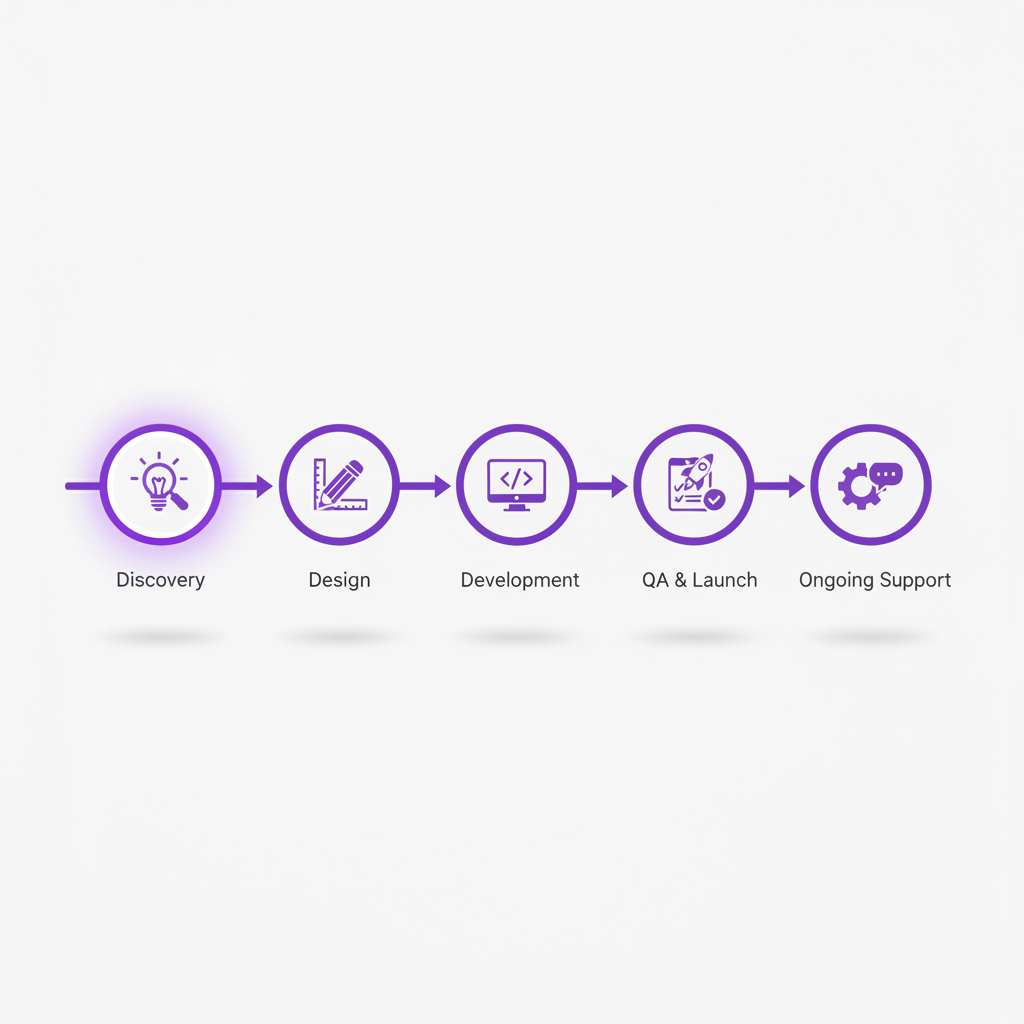
A portal project should not disappear for months. The sequence is predictable:
- Discovery. We map your current workflow, the pain points and the integrations. We also write down what the portal will not do.
- Design. Wireframes and mockups come first. You approve the screens and the flow before development starts.
- Development. Front end and back end are built to the spec, with integrations connected and tested against your real tools.
- Testing and launch. We test on phones and several browsers, then roll out to a handful of clients before opening it to everyone.
- Support. Needs change. Ongoing support and new features are scoped separately.
The pilot with a few clients matters most. It shows which steps confuse people before the whole client list sees them. Pick friendly clients and ask them what they tried to do and could not.
Under the project agreement, the finished portal is owned by you, not rented. That includes your client data and the ability to move it. Check this term with any developer before signing.
When SaaS or No-Code Is the Better Call
A custom portal is not always the right answer. We would tell you to skip the build if:
- You have a handful of clients and a standard workflow that an off-the-shelf tool already handles
- Your monthly SaaS total is small and the vendor's branding does not bother you or your clients
- You are still changing how you deliver your service every few weeks
- You cannot name someone on your team to own the portal after launch
A middle path exists too. Drag-and-drop builders can cover a simple portal for less up front. Our comparison of no-code vs custom development shows where they stop being enough.
On the other side, a custom portal tends to be a good fit if you manage many clients at once, juggle email, text, Slack and phone, get status requests that interrupt real work or pay more each time you add a client. If that sounds like you, a customer-service portal built around your CRM and operating process is worth scoping.
One last point: a portal that connects to your CRM, invoicing and email tools makes each of them more useful. A portal that stands alone just adds another login for your team to check.
Frequently Asked Questions
How much does a custom client portal for small business cost?
It depends on scope: logins plus documents and messaging cost far less than a portal with payments, e-signatures and CRM sync. Our custom-app cost guide lays out tiers from $15,000 to $100,000+ for custom software generally. Hosting, third-party subscriptions and ongoing support are scoped separately. We can only give a firm number after mapping your workflow.
What features should a small business client portal have first?
Start with the requests that interrupt you most: a secure login, a place for documents, a visible status for each job or project, and one message thread per client. Add payments, e-signatures and scheduling once the basics are in use. Role-based access, so clients only see their own records, should be there from day one.
How long does it take to build a client portal?
We don't promise a fixed timeline, because it depends on how many workflows, integrations and approval steps the portal carries. The sequence is the same every time: discovery, design, development, testing and launch, then support. A narrow first release with a handful of clients usually reaches real users sooner than a portal that tries to do everything.
Is a custom portal better than HoneyBook, Dubsado or Zoho?
Not always. Those tools can work well when you have few clients and a standard workflow. A custom portal starts to make sense when you pay per user or client, need your own branding and approval steps, or must connect the portal to your CRM and invoicing. Compare your real monthly total, not the headline plan price.
Prices in this article are starting ranges published on iolab.co/pricing. Hosting, third-party subscriptions and ongoing support are scoped separately in your proposal.
If you are in Medford, Burlington County, South Jersey or the Philadelphia area, or anywhere else in the country, talk to us about scoping your portal. Bring your one-page workflow map and we will start from there.
Sources
Every outside claim in this article links to where it came from. These open in a new tab.
- Role-based accesscsrc.nist.gov
- Multi-factor authenticationcsrc.nist.gov