
- The short answer: when custom wins and when SaaS still does
- What you are actually renting with SaaS
- Where a SaaS stack stops fitting
- Counting the real cost of each path
- The integration problem and the single source of truth
- What custom software looks like in practice
- What to build and what to keep renting
- AI and mobile: where custom helps and where it does not
- The risks of going custom
- How to switch without breaking the business
- Frequently Asked Questions
- Talk through your own sheet
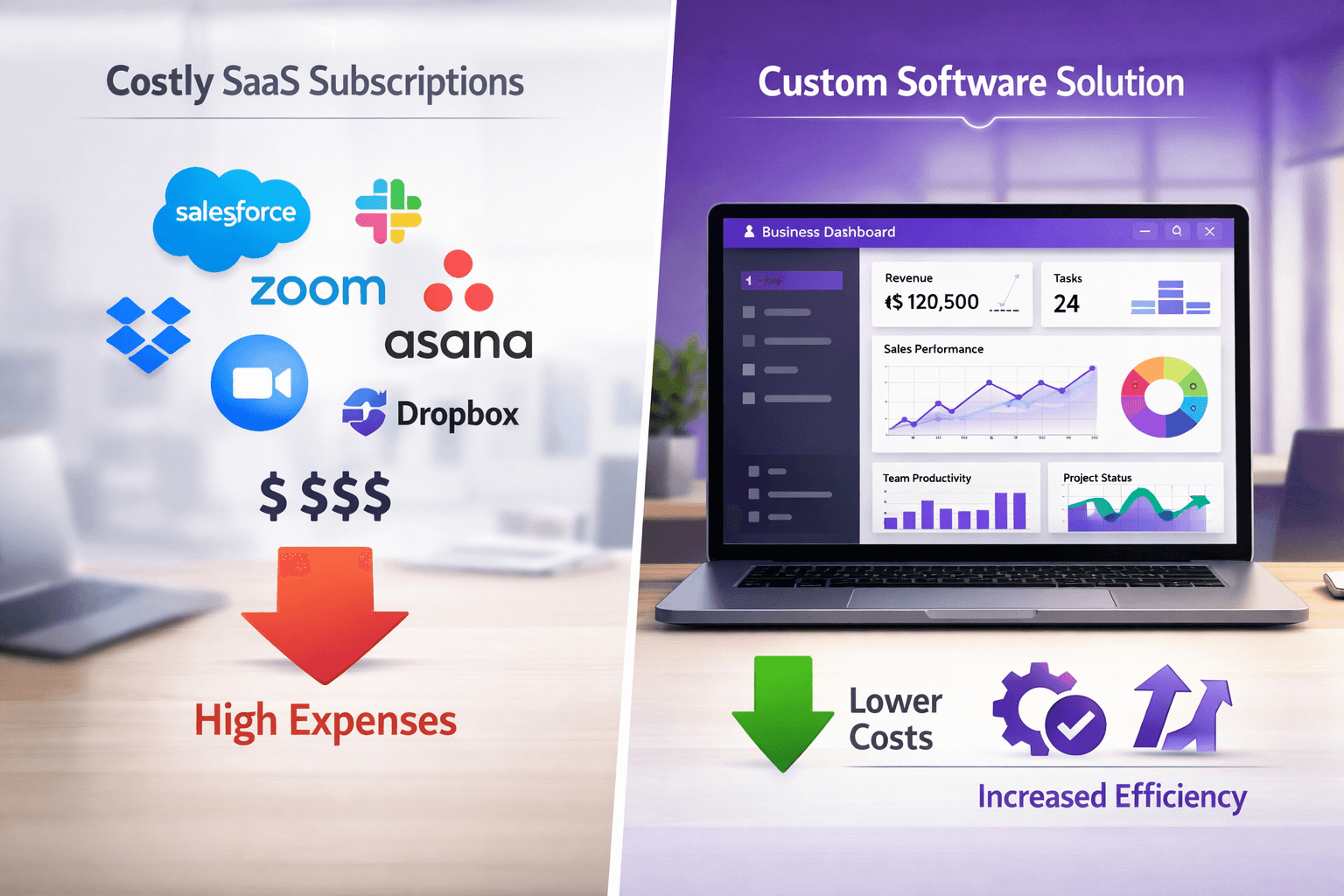
If your software bill keeps climbing while your team still copies data from one tab into another, the custom software vs SaaS for small business question is already on your desk. SaaS (software as a service) means you rent an app that thousands of other companies also use. It is the right answer for common jobs like payroll. Custom software starts to win when the software is how you run the business: your quotes, your schedule, your customer records. This guide shows how to tell which side of the line you are on, what to count, what a build costs, and where custom goes wrong.
The short answer: when custom wins and when SaaS still does
Custom software wins when three things are true at once. The software sits at the center of how you earn money. Your process is different enough that you keep bending it to fit the tool. And you plan to run this business for years, so a build cost can spread over a long stretch.
SaaS still wins when the job is standard. Accounting, payroll, card processing and bulk email delivery work the same way at almost every company. Someone else has already built them, tested them and kept them compliant. Rebuilding them is a poor use of money.
A word on the headline. You will see claims that small businesses are leaving SaaS in large numbers. We did not find a reliable national figure we could verify, so we are not quoting one. The pattern we can describe is narrower and more useful: owners who rent many tools for one workflow often reach a point where the tools cost more in rework than in subscriptions.
| Question | SaaS | Custom software |
|---|---|---|
| Upfront cost | Low. You start this week. | Higher. You pay to design and build. |
| Ongoing cost | Per seat or per tier, and it rises as you grow. | Hosting, support and changes, scoped separately. |
| Fit to your process | You adapt to the tool. | The tool is built around your process. |
| Connecting systems | Depends on the vendor's integrations. | Built into the design from day one. |
| Roadmap | The vendor decides. | You decide. |
| Who maintains it | The vendor. | Your build partner, under a support plan. |
| Exit | Export what the vendor allows. | You own the system under the project agreement. |
The rest of this post fills in each row with specifics, and tells you when the table should push you the other way.
What you are actually renting with SaaS
Most SaaS products run on a multi-tenant design. NIST, the U.S. standards agency, describes multi-tenant as an architecture in which one computing resource is shared but logically isolated to serve multiple consumers. In plain words: one copy of the software and one pool of servers serve many companies, and software walls keep your data apart from theirs.
NIST's broader definition of cloud computing, in NIST Special Publication 800-145, treats SaaS as one of three service models alongside platform and infrastructure services. It describes cloud resources as a shared pool that can be provisioned with minimal management effort. That sharing is why SaaS is cheap to start. It is also why you cannot change much.
What sharing costs you, and what it does not
Three effects follow from sharing, and it helps to separate the real ones from the exaggerated ones.
Fit. The vendor builds one product for thousands of buyers. You get the features the biggest group asked for. If your workflow is unusual, you get workarounds: custom fields, spreadsheets on the side, a second tool.
Control of change. The vendor can raise prices, retire a feature or move one behind a higher tier. Your only lever is to leave, and by then your data and your team's habits live inside the product.
Performance and security. You will read that shared platforms are slower and less secure than single-tenant ones. That is too blunt. A large vendor can run better monitoring and patching than a small business could afford alone, and logical isolation is a recognized design. A single-tenant custom app is not automatically safer either: it is only as secure as the way it is built, hosted and updated. When a custom app runs on a cloud infrastructure service, NIST describes the split this way: the provider runs the underlying network and servers, while you control the operating systems, storage and deployed applications. That is the layer where your build team sets access rules. What custom gives you is a choice. You decide who can see which records, where the data lives and how access is logged, and you can write those rules into the build.
The honest summary: sharing is a fair trade for commodity jobs. It becomes a bad trade when the shared product holds your core process and you keep paying to work around it.
Where a SaaS stack stops fitting
Almost nobody sets out to build a stack of subscriptions. It happens one reasonable purchase at a time: a CRM, then an email tool, then a scheduler, then a form builder, then something to connect them. Each purchase made sense. The stack does not.
These are the symptoms we would look for, in rough order of how expensive they get:
- Re-keying. Someone types the same customer detail into two or three systems. Every copy is a chance for a typo and a customer who gets the wrong message.
- Spreadsheet glue. A "master" spreadsheet exists because no single tool can answer a basic question, such as which jobs are booked but not yet invoiced.
- Per-seat creep. You add a part-time hire or a seasonal worker and the bill rises, even though they use one screen.
- Tier walls. The one feature you need sits in the next plan up, and that plan also bundles things you do not use.
- Workaround folklore. New hires learn a long list of "you have to do it this way because the system can't" rules. If your onboarding doc is mostly workarounds, the tool is not fitting.
- Reports nobody trusts. Each tool has its own dashboard and its own definition of a "lead" or a "customer."
If three or more of those sound familiar, read the five signs your business has outgrown its SaaS tools. It goes through the warning signs in more detail. For the money side, the true cost of SaaS stack bloat shows how to add up what the stack costs when you include the labor around it.
One caution. A messy stack is not always a reason to build. Sometimes the fix is to cancel three tools nobody opens and set up two integrations properly. Do that audit first. If the mess survives it, the problem is fit, not clutter, and fit is what custom software addresses.
Counting the real cost of each path
This is where most comparisons go wrong. They set a low monthly subscription against a five-figure build and declare SaaS the winner. That compares the wrong things. Here is a fairer way to count, and you can do it on one sheet of paper.
The SaaS side of the sheet
List every tool in the workflow you are thinking about replacing. For each one, write down:
- The current monthly or annual fee, from the invoice, not from memory.
- The fee at your expected headcount or volume in two years, from the vendor's published pricing page.
- Any add-ons, connector fees or "admin" seats.
- The hours per week your team spends moving data between this tool and others, multiplied by what an hour of that person's time costs you.
- The cost of one bad outcome: a missed follow-up, a double-booking, a wrong invoice.
The labor line is the one owners skip, and it is often the largest. We are not giving you a typical figure for it, because we do not have a source we could verify. Your own timesheets are better evidence anyway.
The custom side of the sheet
A custom build has a one-time cost and a running cost. The one-time cost depends on scope: how many user roles, how many integrations, whether there is a customer-facing portal or a mobile app. As of October 2026, the published range in our cost guide runs from $15,000 to $100,000+ depending on the tier of build. The full breakdown, with what moves a project from one tier to the next, is in how much a custom app costs, and our starting ranges are on the pricing page.
Three things sit outside the build price, and you should put them on your sheet:
- Hosting. The servers or cloud account the app runs on, billed by the hosting provider or scoped in your proposal. We do not resell hosting.
- Third-party subscriptions. Anything the custom app plugs into: a payment processor, a text-message service, a map service, an email sender.
- Ongoing support and changes. Bug fixes, updates and new features after launch, scoped separately in your proposal.
Also ask your accountant how software development spending is treated in your books and for tax. That is outside what we advise on, and the answer can change the real cost of a build.
How to read the result
Put both columns over five years, not one. Custom software is front-loaded; SaaS is back-loaded and rises with headcount. If the five-year SaaS total, including labor, is well under the custom total, rent. If it is close, or the custom side also removes a risk you cannot price, such as losing a customer because the system dropped a request, custom is worth a serious look.
We are not going to promise you a payback period. It depends on your stack, your headcount and your scope, and any number we gave you without your sheet would be a guess.
The integration problem and the single source of truth
SaaS vendors advertise integrations, and many are good. But an integration is a bridge between two products that each have their own data model. The bridge carries what both sides agree on, which is usually a name, an email and a few fields. The rest stays behind.
That is how you end up with customer information in the CRM, purchase history in the store platform and support tickets in a help desk. Getting the full picture of one customer means opening three tabs and trusting that the phone numbers match. When they do not match, nobody knows which one is right.
Custom software changes the design. Instead of connecting separate records, you build one record per customer, job or order, and every screen reads from it. A booking, an invoice, a message and a follow-up task all attach to the same customer. That gives you:
- One customer profile with contact details, history, open tasks and notes.
- Reports that read from one source, so "lead" means the same thing on every screen.
- Workflows that cross departments, such as an accepted quote that creates a job, a crew assignment and an invoice draft without anyone re-entering it.
- No nightly sync that fails quietly on a Friday.
Custom does not mean "no integrations." You will still connect to payment processors, accounting software and messaging services. The difference is that you integrate at the edges and keep the core in one place. We cover the trade-off between connecting tools and building features directly in API integration vs native features.
A custom CRM (customer relationship management system, the place your customer records and follow-up live) is usually the first thing owners build for this reason. If that is your situation, our custom CRM service is built around connecting customer data, workflows and automation in one system. For a head-to-head view against the biggest name in the category, see custom CRM vs Salesforce.
What custom software looks like in practice
Abstract arguments only go so far. Here is what we have actually built, described only as far as the public project pages describe it.
WRAPT is a wholesale operations platform that carries a deal from first lead to delivery. It has a nine-stage lead-to-delivery pipeline, a client portal for customers, and an omnichannel support hub that includes TAMI, a web-chat agent. A wholesale business like that would otherwise need a CRM, an order tool, a portal product and a help desk, each with its own login and its own copy of the customer. Building them as one system lets the pipeline, the portal and the support hub share one customer record instead of three.
The second example is smaller and closer in size to what a local service business might need. Sand Bar Joe's has a booking site and a captain's CRM. The booking site and the CRM the captain works from were built as one project, so a booking and the customer record behind it are designed together instead of stitched across products. The point is not the size of the project. It is that the system follows the business, not a template.
The rest of our portfolio follows the same idea in different industries: Tappd, a coaster advertising platform; Maven, a curated networking platform; and The Hoffman Agency, a real estate and rentals platform. Each is custom-built rather than rented. We list them so you can judge the range, not to suggest your results would match anything on those pages. Every business, scope and starting point is different.
If you run a restaurant, a dental practice, a law firm or a home-service company, the same logic applies to the systems in your trade. The first workflow worth building is almost always the one your team complains about most. The same applies to the specialist systems that tend to get replaced first: point-of-sale systems and inventory management.
What to build and what to keep renting
The strongest versions of this strategy are not "replace everything." They are hybrid. You build the part that is different about your business and keep renting the parts that are the same as everyone else's.
Good candidates to build
- Customer and job records. Your CRM, your quoting and your scheduling, if your process does not match a template.
- Intake and onboarding. Forms and handoffs that feed straight into your records instead of an inbox.
- A customer portal. A place where customers see status, documents and invoices. Our guide on building a client portal walks through what goes in one.
- Internal operations. Approvals, task routing, commission rules and anything else currently run on a spreadsheet and a lot of memory.
- Reporting. Dashboards drawn from your own single record.
Good candidates to keep renting
- Accounting and payroll. These carry tax and compliance rules that change. Keep them with specialists, and connect your custom system to them.
- Payment processing. You want a processor that handles card data, not a homemade one.
- Email delivery. Sending bulk email well takes deliverability work. A tool like Mailchimp, one of the platforms we partner with, stays useful as the sending engine while your custom system decides who gets what and when.
- Office basics. Email, calendar, file storage, video calls.
Between those two lists is a gray area: project management, help desks, booking tools. For each, ask one question. Does the tool fit how we work without workarounds? If yes, keep it. If no, and it holds data you need elsewhere, it belongs on the build list.
When you are choosing between a visual builder and real code, no-code vs custom development sets out where each one runs out of room. No-code tools can be a good way to test a process before you commit to a build, but they are another subscription and another vendor.
AI and mobile: where custom helps and where it does not
Two features come up in nearly every conversation about replacing SaaS. Both are real advantages. Both are also easy to oversell.
AI on your own data
SaaS vendors now add AI features to their products, and some are useful. The limit is the same as before: they are built for the average customer, on the data that vendor holds. A custom system can run AI steps on the full record you keep, for example drafting a follow-up message from a customer's history, sorting an incoming inquiry into the right queue, or flagging a job that has gone quiet.
What that does not mean is an AI that runs the business alone. A drafted reply is a draft. When we scope an AI step, we decide up front where a person reviews it before it reaches a customer, and what the system does when it is unsure. An AI step that nobody checks is a liability, not a feature. The omnichannel hub in WRAPT, with its TAMI web-chat agent, is an example of this kind of customer-facing layer sitting on top of shared records.
Mobile for the people away from a desk
Some SaaS products ship a phone app that does only part of what the web version does. If your crew works on a job site, a boat or a route, the phone is the main screen, and a cut-down app creates a second round of data entry back at the office. A custom mobile app can show only what a technician or captain needs, work against the same records as the office, and respect permissions. Our mobile app service covers customer-facing and field-facing apps for iOS and Android, connected to the same data as your CRM.
Not every business needs one. If your team works at a desk, a well-built web app that works on a phone browser is cheaper and easier to maintain. Start there unless you have a clear reason, such as offline use or device features like the camera.
The risks of going custom
A post that only lists the upside would not help you decide. Custom software has real risks, and most of them are manageable if you plan for them.
It takes time and attention. A build needs decisions from you: how an approval works, what happens when a job is canceled, who can see what. Owners who cannot give that time end up with software that reflects the builder's guesses. Budget hours for yourself or for the operations lead who will run the system every day.
Scope creep. It is easy to say "while you are in there, can it also do this?" Every addition adds cost and delay. The fix is a first release that covers one workflow well, with a written list of what comes next.
Bugs and maintenance. Rented software has a vendor team fixing problems. Custom software has the team you hire. That is why support should be scoped before launch. Software needs updates as browsers, phones and connected services change. A build with no maintenance plan decays.
Dependence on your builder. This is the risk that scares owners most, and rightly. Protect yourself in the contract. The project agreement should state that you own the system, you receive the source code and documentation, and the hosting account is in your name or can be moved to it. Ask any builder, including us, to show you that language before you sign.
Choosing wrong. If you build something the team will not use, the money is gone. Reduce that risk by having the people who do the work help define it, and by launching to a small group first.
Ownership cuts both ways. You are no longer protected by a vendor's scale. If your needs are ordinary and your process is close to a template, the sensible answer may be to stay on SaaS. Saying so is part of being honest about the trade.
How to switch without breaking the business
You do not turn off a whole stack of tools on a Monday. A staged switch protects your customers and gives your team time to learn. This is the sequence we recommend, and it works for a business anywhere from Medford and Burlington County to the wider Philadelphia metro, or for a business we serve remotely.
- Map the workflow on paper. Follow one customer from first contact to final payment. Mark every tool they touch, every person who handles them, and every point where someone re-types something. This map becomes the spec.
- Do the audit. Cancel tools that nobody opens. Check each contract's renewal date and notice period, so you do not pay for a year you do not need. Note which tools let you export your data and in what format.
- Pick one workflow to build first. Choose the one that is most painful and most contained. For many service businesses that is the customer record plus scheduling. For a business that sells to other businesses it may be quotes and orders.
- Run old and new side by side. For a short period, the new system and the old tool both run. You compare results, fix gaps and let people practice on live data with a safety net.
- Migrate the data. Move customer records, open jobs and history into the new system. Expect to clean it as you go: duplicates, missing fields and old statuses that no longer mean anything.
- Cut over one group at a time. One team or one location first. Fix what they find. Then everyone else.
- Retire the old tool, then add the next workflow. Cancel the subscription only after a full billing cycle has run cleanly in the new system.
Training is smaller than owners expect when the screens match the work people already do. The team is not learning a vendor's idea of a sales pipeline; they are using screens named after their own steps. Plan on written one-page guides for each role and a named person on your side who answers questions in the first few weeks.
One more point for owners who will not be the day-to-day user. The person who runs the system should be in the design meetings from the start. They will find the gaps that you, as the owner, will not see until a month after launch.
Frequently Asked Questions
Is custom software better than SaaS for a small business?
Not always. SaaS is better for standard jobs such as payroll, accounting and card processing, where thousands of businesses need the same thing. Custom software is better when the software holds your core process, you keep working around a tool's limits and you will use the system for years. Many businesses do both: build the core, rent the commodity tools.
How much does custom software cost for a small business?
As of October 2026, our published tiers for a custom app run from $15,000 to $100,000+, depending on scope: users, integrations, portals and mobile apps. Our starting ranges are on the pricing page. Hosting, third-party subscriptions and ongoing support are not part of the build price and are scoped separately in your proposal.
What is the difference between multi-tenant and single-tenant software?
Multi-tenant software serves many companies from one shared system, with logical walls between customers' data. NIST defines it as a shared resource that is logically isolated to serve multiple consumers. Single-tenant software, which is how a custom build usually runs, gives your business its own instance, so you control who accesses it and when it changes.
Can I switch from SaaS to custom software without losing my data?
Usually yes, but it depends on what each tool lets you export. Check export options before you commit, ask for a full download of customer and job records, and run the old and new systems side by side for a short period. Expect some cleanup of duplicates and old statuses during migration. Test the migrated data before you cancel anything.
Who owns custom software after it is built?
That depends on the contract, so read it before you sign. Our work is owned by the client under the project agreement. Whatever builder you use, confirm in writing that you receive the source code and documentation and that the hosting account is yours or can be transferred to you.
Prices in this article are starting ranges published on iolab.co/pricing. Hosting, third-party subscriptions and ongoing support are scoped separately in your proposal.
Talk through your own sheet
The best next step is the worksheet from the cost section: your tools, your fees, your hours, your two-year headcount. Bring it to a conversation and we can tell you plainly whether a build, a smaller fix or staying put makes sense. If a customer-facing piece is part of the picture, our customer service software and portals page shows how support and customer records connect, and you can reach us here. iOLab Digital is a Microsoft Advertising, Semrush, SiteMinder and Mailchimp partner. Where this article mentions a tool we partner with, we say so.
Sources
Every outside claim in this article links to where it came from. These open in a new tab.
- NISTcsrc.nist.gov
- NISTtsapps.nist.gov
- treated in your books and for taxirs.gov