
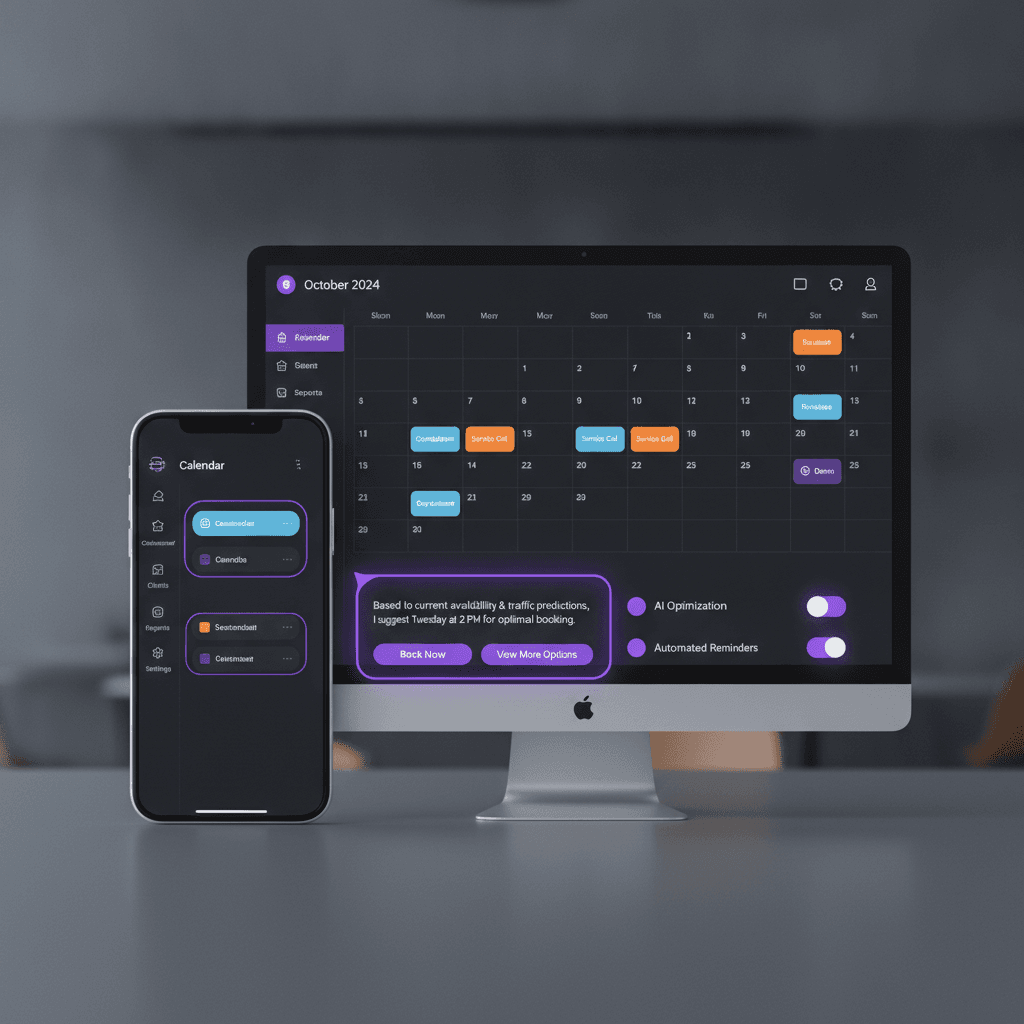
If your front desk still confirms appointments by phone, or your reminders go out from someone's personal cell, you already know what scheduling costs in staff time. AI appointment booking software is meant to take that work over: it books, reminds, reschedules and flags the visits most likely to fall through. Some of it is genuinely new. Much of it is ordinary rules with an AI label. This post separates the two, shows what the research says about no-shows, and helps you decide between a subscription and a custom build. It is one piece of AI automation for small business, and it is a good first one to try.
What AI Appointment Booking Software Actually Does
Online booking alone is not AI. A page that shows open slots and writes them to a calendar has existed for years. What counts as AI is narrower, and it helps to sort features into two piles.
Rules you can write down
These work from fixed logic, and you should expect them from any decent system:
- Service durations and buffer time, so a 90-minute consultation never lands in a 60-minute gap.
- Per-staff availability, so a client who wants a specific stylist or technician only sees that person's open times.
- Confirmations and reminders at set intervals, by email and text, with one-tap reschedule.
- Waitlist offers when a slot opens up after a cancellation.
Where AI is actually involved
Three features use a language model or a prediction model, and each should have a human checkpoint:
- A chat assistant that books. A visitor types "I need someone to look at the furnace Thursday after 3." The assistant reads that, asks for the address, checks real availability and offers slots. Your team should see every booking it makes, and it should hand off to a person when a request falls outside your rules.
- No-show risk flags. A model scores upcoming appointments using past behavior, such as late cancellations or unconfirmed reminders. The score should trigger an extra step, like a phone call from staff. It should not silently cancel or double-book anyone.
- Intake summaries. The system reads what the client typed in a form and gives staff a short summary before the visit. A person still reads the original when it matters.
If a vendor cannot tell you which pile a feature belongs to, treat the word "AI" as marketing. We cover the chat side in more depth in our guide to AI chatbots for small business.
What the Research Says About Reminders and No-Shows
Most published evidence on missed appointments comes from healthcare, because clinics track attendance closely. It is not a perfect match for a salon or an HVAC company. It is still the best evidence we found, and we could not verify a comparable figure for other industries this year.
A systematic review and meta-analysis published by Springer in 2023 found that 15 studies reported SMS reminders significantly reduced non-attendance. The same review found telephone reminders gave inconsistent results, with one study showing fewer no-shows but more cancellations. That is useful: texts are cheap and consistent, while phone calls take staff time and do not reliably pay off.
An older systematic review by Hasvold and Wootton, hosted on PubMed Central, points the same direction. It suggested hospitals should consider automated reminders, while noting that formal evidence of cost-effectiveness was lacking. In plain terms: reminders work, but nobody has proven the exact payback for your business.
The prediction side is more modest than vendors suggest. In a randomized quality-improvement trial in the Journal of General Internal Medicine, published by Springer, a model picked at-risk patients for a live phone call on top of standard automated reminders. The no-show rate was 33% in that group versus 36% in the standard group. A three-point gain is real, and it came from a person making a call, not from the model alone.
So treat any promised "60% fewer no-shows" with caution. Measure your own baseline first: no-shows divided by booked appointments over the last 90 days. A simple dashboard makes this easy to track, and we describe that in custom data dashboards for small business.
Why the Usual Booking Stack Breaks Down
Most small businesses end up with three tools: a booking page, a text-reminder service and a CRM (customer relationship management, the database of who your customers are and what they bought). Each charges its own subscription, and each keeps its own copy of the customer.
The failures are predictable:
- A client reschedules in the booking tool, but the reminder tool still texts the old time.
- Staff see the appointment on the calendar but not the client's history, so they ask questions the client already answered.
- Someone re-types intake details from the booking form into the CRM.
- A cancellation never reaches the waitlist because the waitlist lives in a spreadsheet.
Connecting these tools with a no-code automation service helps for a while. But every connection is another thing that can fail silently. We compare the trade-offs in why small businesses are moving from Zapier to custom automation.
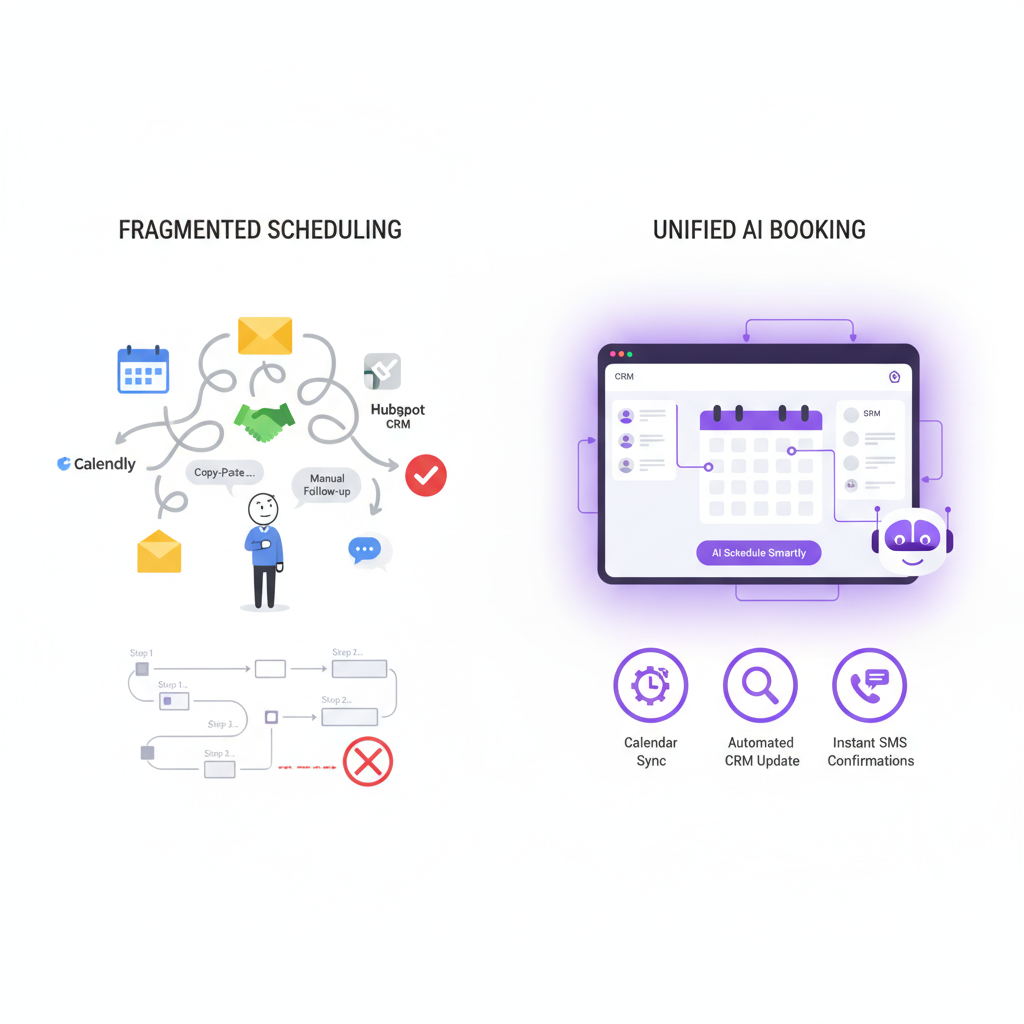
A custom system puts booking, reminders, customer history and payments in one database. When a booking changes, there is only one record to update. That is the main structural argument for building, more than any single feature.
Booking Rules That Generic Tools Miss
Every industry has scheduling rules that a one-size-fits-all widget cannot hold. These are the ones we hear about most.
Home services and field work
An appointment here is a technician traveling to an address. The system needs service-area checks, job-type intake (a no-heat call is not a tune-up), the right technician skills and a way to prioritize emergencies. It also helps if the booking creates the customer record and equipment history automatically. That is the thinking behind our HVAC and plumbing CRM approach, which connects calls, dispatch, equipment history, estimates and invoicing.
Salons, spas and multi-service visits
A client wants a cut, color and brow threading with a preferred stylist. The system has to total the time, check each specialist and any shared equipment, then pick the best order. If the preferred stylist is full, it should offer alternatives or a waitlist rather than a dead end.
Restaurants with private dining
Events involve party size, menu choices, deposits and staffing, not just a table time. Capturing that at booking saves a long email thread later. Our write-up on AI automation for restaurants and other local businesses covers where this fits.
Medical, dental and other regulated practices
Patient recall, insurance questions and the handling of health information make this the hardest category for generic tools. We build software, and we do not give legal or compliance advice. Before any system touches patient data, ask your own compliance advisor what your reminders and chat assistant may say, and confirm each vendor's terms in writing.
What We Have Built Around Booking
Our booking work is in the portfolio, so here is what we can say without stretching it. For Sand Bar Joe's, we built a booking site and a captain's CRM around how that business already runs, rather than asking it to fit a template.
Separately, WRAPT, our wholesale operations platform, includes a client portal and an omnichannel support hub with a web-chat agent called TAMI. That is a support tool rather than an appointment scheduler. It shows how a chat agent can sit on top of the same customer records the rest of the business uses, with a person able to step in.
We have not measured no-show rates before and after on those projects, so we are not quoting any. If a vendor, including us, gives you a percentage without saying where it came from, ask.
Build or Subscribe: A Practical Decision
A subscription is the right call more often than custom-software vendors admit. If you are one person with one calendar and simple services, a standard scheduling tool plus text reminders is enough. Do not build.
Custom starts to make sense when several of these are true:
- More than one staff calendar with different services and skills.
- Booking has to capture intake details, deposits or a service address.
- Your CRM and booking tool do not share records, and staff re-enter data.
- You are paying for three or more tools that each cover part of the workflow.
- You want to own the customer data and the logic, not rent them.
For the money side, add up what you pay monthly for booking, reminders and the CRM, multiply by 36, then add the staff hours spent reconciling them. Compare that with a build quote plus hosting and SMS fees. We will not give you a break-even month, because it depends on your tool bill and your staff time.
On cost, our custom-app cost post lays out tiers from $15,000 to $100,000+, and a booking system with a CRM sits inside that range depending on scope. Hosting, SMS and email delivery fees, third-party subscriptions and ongoing support are not part of the build price. We scope them separately in the proposal and do not resell them.
What a build looks like
We start with a discovery call to map how booking works today, including the phone calls and sticky notes. Then you get a written proposal with scope and cost. We build in stages, you test with real appointments, and your team gets a walkthrough before launch. We move your existing bookings over and do not promise a delivery date until we have seen the scope.
Questions to Ask Before You Commit
- Which features are rules, and which use AI? Who reviews the AI's output?
- What happens when a client reschedules: does every reminder update?
- Can I export every customer and appointment record, in a usable format?
- Who owns the code and the data if we part ways?
- What are the per-message text and chat costs, and who pays them?
- How does the system treat consent for text messages? Ask your own advisor, and get the vendor's answer in writing.
If you are in Medford, Burlington County or the wider Philadelphia area and want to talk through your own booking flow, our AI workflow automation service is the place to start, and the first conversation is about your process rather than a product.
Frequently Asked Questions
What is AI appointment booking software?
It is scheduling software that does more than show open slots. It checks availability against staff, service length and buffers, sends reminders, and may use AI for chat-based booking or no-show risk flags. Many features are plain rules. Ask a vendor which parts use AI and where a person reviews the results.
Do text reminders really reduce no-shows?
Research says yes, mostly in healthcare. A 2023 systematic review published by Springer found 15 studies in which SMS reminders significantly reduced non-attendance, while telephone reminders gave inconsistent results. The size of the effect varies by setting, so track your own no-show rate before and after you change anything.
Is a custom booking system better than Calendly or Acuity?
Not always. For a solo provider with one calendar, an off-the-shelf tool is usually enough. Custom is worth considering when you have several staff calendars, need intake details or deposits at booking, or keep re-entering data between your booking tool and your CRM.
How much does a custom AI booking system cost?
Our custom-app cost tiers run from $15,000 to $100,000+, and a booking system with a CRM falls somewhere in that range depending on scope. Hosting, text-message fees, third-party subscriptions and ongoing support are scoped separately in the proposal. We give a written quote after discovery.
Prices in this article are starting ranges published on iolab.co/pricing. Hosting, third-party subscriptions and ongoing support are scoped separately in your proposal.
If your booking process is held together by three subscriptions and a shared calendar, send us how it works today. We will tell you honestly whether a subscription, a tweak or a custom build fits.
Sources
Every outside claim in this article links to where it came from. These open in a new tab.
- Springerlink.springer.com
- PubMed Centralpmc.ncbi.nlm.nih.gov
- Journal of General Internal Medicine, published by Springerlink.springer.com