
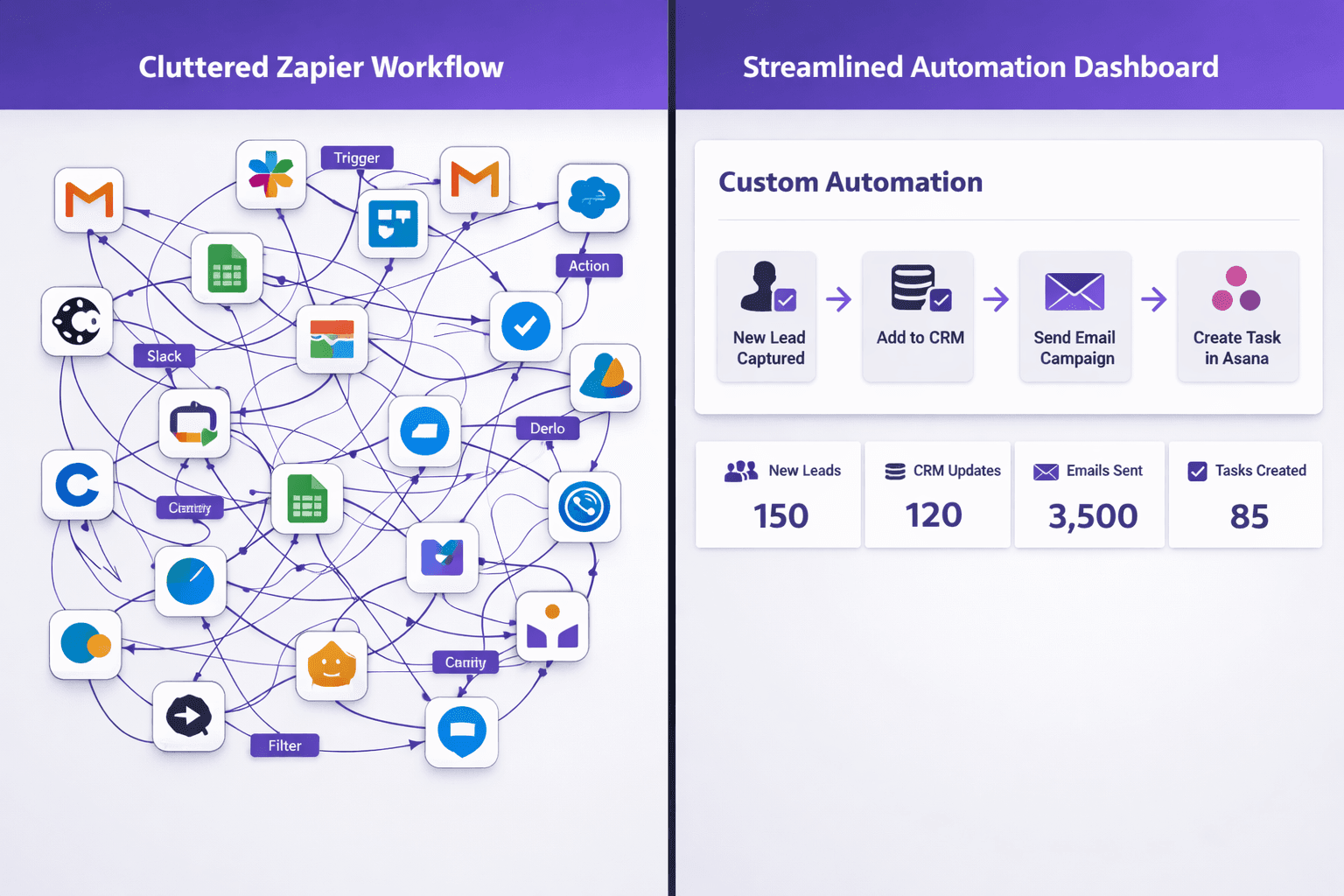
Why small businesses are ditching Zapier for custom automation usually has little to do with the first month's bill. It happens around month twelve, when one lead triggers a chain of billable steps, a Zap fails overnight, and nobody can say why. This post covers where Zapier stops fitting, what a custom build changes, and what it does not fix. It is one piece of our guide to AI automation for small business. We sell custom builds, so we also say when staying on Zapier is the better call.
What Zapier Does Well, and Where the Fit Ends
Zapier is a middleware service. It watches for an event in one app (a trigger), then runs one or more actions in other apps. For two apps with a clean connector, it is hard to beat. You can have a working automation the same afternoon, and nobody writes code.
The trouble starts when the automation stops being a connector and becomes part of how the business runs. At that point you are no longer linking two apps. You are encoding rules about who gets a lead, what a late invoice triggers, and which jobs need a human. Those rules end up scattered across dozens of Zaps, each one a separate thing to pay for and maintain.
A note on pricing: Zapier bills by usage, and its plans and task allowances change. We could not confirm its current plan prices as of October 5, 2026, so we do not quote them here. Check the plan page yourself and use your own task history, as described below.
Four Reasons the Switch Happens
1. Per-task pricing grows with your volume
A task is roughly one action your automation performs. A single web lead rarely means one task. Count the steps: check for a duplicate, add the contact to your CRM, notify a salesperson, send a confirmation email, create a follow-up reminder, log the source. That is six actions for one form submission.
So your bill tracks lead volume, order volume and the number of steps you add, not how much value the automation delivers. Every extra step you add to make the workflow better makes it more expensive. That pushes owners to trim logic they actually want, which is the opposite of what automation should do.
To see your own number, open your Zapier task history for the last three months. Multiply tasks per run by runs per month for each Zap. That total, not a pricing page, tells you where you stand.
2. Branching logic turns into Zap sprawl
Zapier has filters and paths for conditions. They handle "if the lead is from the website, do this." They get awkward when a decision depends on several things at once: the service line, the customer's history, the time of day, whether a technician is available, and whether the account is past due.
Most people respond by building several Zaps that each cover one branch. Now a rule change means editing five places, and no single screen shows the whole process. Custom automation holds that logic in one codebase, where it can be read, tested and versioned like any other part of your software.
3. Connectors only cover what the vendor exposes
A Zapier connector supports the triggers and actions its builder chose to expose. If your industry software has no connector, or the connector skips your custom fields, you work around it with webhooks, spreadsheets or manual steps. We go deeper on this trade-off in our post on API integration versus native features.
A custom build talks to the system's own API (the interface software uses to exchange data) directly. It can read the fields you actually use, write back to them, and match records that never line up perfectly. A common example is the same customer appearing in your point-of-sale system, your loyalty program and your online ordering tool under slightly different names and emails. Matching those records takes rules a generic connector does not offer.
4. Failures are hard to see and hard to explain
When a Zap fails, you usually get a notice in a dashboard or an email. If nobody watches it, a lead sits unrouted until someone asks where it went. And when the person who built the Zaps leaves, the logic often leaves with them.
A custom system can log every step in your own database, alert a named person when something fails, and keep a record of why a decision was made. That record matters when you have to explain the process to a new hire or a customer.
What a Custom Build Changes
Custom automation starts from your process, not from the list of apps a platform supports. In practice, three things change.
- You own the logic. Under our project agreement, the code and the workflow rules belong to you. No vendor can reprice, retire a feature or change a connector underneath you.
- Cost stops tracking volume. You still pay to run it, but not per task. Hosting, any third-party subscriptions it calls (an SMS provider, an AI model API) and ongoing support are scoped separately in the proposal, never resold by us.
- Decisions can use context. The system can read a message, a booking history and an invoice status together before it acts.
The scale of this can be large. WRAPT, the wholesale operations platform we built, runs a 9-stage lead-to-delivery pipeline with a client portal and an omnichannel support hub that includes the TAMI web-chat agent. Running those stages through per-task middleware would mean a billable step at every handoff. It lives in one system because the stages share the same data. Most small businesses need something much narrower, such as one lead-to-job workflow, but the principle holds.
Where AI belongs, and where a person still decides
A fixed if-then rule sends every lead the same email. An AI step can read the inquiry, classify it (new install, repair, billing question) and draft a reply based on what the person asked. That is the practical difference, and it is all it is.
The model can be wrong, so we build a review step into anything customer-facing or financial. The system drafts, flags low-confidence cases and queues them for a person. It sends on its own only where the rule is clear and the cost of a mistake is small. If you want the details on how we scope this, see our AI workflow automation service.
What Custom Automation Does Not Fix
Custom is not free of upkeep, and anyone who says so is selling something. Four limits are worth knowing before you commit.
- It costs more up front. Our published custom-software tiers run from $15,000 to $100,000+. Where an automation lands depends on how many systems it touches and how many exceptions it must handle.
- Outside APIs still change. If your CRM or payment processor updates its API, a custom integration needs a fix just as a Zap would. The difference is that someone is on the hook for it, and you can see the code.
- It takes time to build. You give up the same-afternoon setup. We do not promise delivery dates in an article, and the schedule depends on scope and on how quickly your team answers questions.
- Small, stable workflows do not need it. If one Zap moves form entries into a spreadsheet and has run for two years, leave it alone.
Break-even is simple arithmetic. Divide the build cost by what you save each month: the subscriptions and middleware you cancel, minus what the custom system costs to host and support. We do not quote a typical payback period, because it depends too much on which tools you cancel and how many hours the work saves.
Which Workflows to Move First
Do not rebuild everything at once. Start with the workflows that are expensive, break often or depend on judgment. These are the ones that tend to outgrow a Zap first.
- Lead intake and routing. Respond quickly, classify the request, assign an owner, and escalate if nobody picks it up. A field-service business can tie this to calls, dispatch and equipment history, as in our HVAC and plumbing CRM approach.
- Client onboarding. When a deal is marked won, create the project, send the contract, collect the deposit and book the kickoff in order, with a status someone can check.
- Billing follow-up. Reminders on a schedule, a firmer tone later, and a handoff to a person for accounts that need one. See our post on automated invoicing.
- Scheduling and reminders. Confirmations, reminders and rebooking offers after a cancellation. Our guide to AI appointment booking covers this.
- Paperwork. Intake forms, quotes and agreements that get re-keyed from one place to another. See AI document automation for how that works.
Review requests after a finished job belong on the list too. They are easy to forget, and a scheduled automation sends them every time.
How to Make the Move Without Breaking Anything
- Inventory your Zaps. List each one, what triggers it, what it touches, how many tasks it uses a month and who fixes it when it fails. You may find Zaps nobody remembers building.
- Rank them by pain. Cost, failure frequency and the amount of manual cleanup afterwards are the three columns that matter. If you want a structured way to do this, our small business workflow audit walks through it.
- Move one workflow first. Pick the one that hurts most and is easiest to describe in plain language.
- Run both in parallel. Keep the Zap running while the custom version handles the same events in test mode. Compare the outputs for a few weeks and fix the differences.
- Cut over, then cancel. Turn off the Zap only when the new version has handled a full cycle, such as a month-end billing run. Keep the old one paused for a while in case you need to roll back.
- Write it down. Insist on documentation and a walkthrough for the person who will run the system daily. That person should be able to explain it to the team.
A Quick Test: Should You Stay or Switch?
Stay on Zapier if your automations are short, rarely change and fail rarely. Look at a build if most of these apply:
- One business event triggers more steps than you can count at a glance.
- You maintain parallel Zaps to cover branches of one process.
- Your key software has no connector, or the connector skips fields you use.
- A failure would cost you a customer or an invoice, and you find out late.
- Only one person understands how it all fits together.
If you recognize three or more, the next step is a mapping exercise, not a purchase. We do that for local businesses in Medford, Burlington County, South Jersey and the Philadelphia area, and for clients nationwide.
Frequently Asked Questions
Why are small businesses leaving Zapier for custom automation?
The main reasons are usage-based pricing that rises with volume, branching logic that spreads across many Zaps, connectors that skip fields they rely on, and failures that are hard to trace. Owners also want to own the logic instead of renting it. It is not a fit for every business, and simple automations are fine to keep.
Is custom automation cheaper than Zapier?
Not at the start. A custom build is a project cost, and our published custom-software tiers run from $15,000 to $100,000+, while Zapier is a monthly subscription. Custom can come out ahead over time if it replaces several subscriptions and removes per-task charges. Work out break-even from your own task history, not an average.
Can I keep using Zapier alongside a custom system?
Yes. Many businesses move the workflow that hurts most and leave simple, stable Zaps in place. Running the old Zap and the new system in parallel for a trial period is also the safest way to cut over, since you can compare results before you switch anything off.
What happens if a custom integration breaks?
Outside services such as your CRM or payment processor can change their APIs, and a custom integration then needs an update. The difference is visibility: a custom system can log each step and alert a named person. Ongoing support for fixes like this is scoped separately in the project proposal.
Prices in this article are starting ranges published on iolab.co/pricing. Hosting, third-party subscriptions and ongoing support are scoped separately in your proposal.
Next Step
Bring us your list of Zaps and the one that worries you most. We will tell you whether it needs a build or whether it should stay where it is. If a build makes sense, we will explain the scope, the exceptions and the review steps in plain terms, as part of our custom AI automation work. You can see the kind of systems we build on our portfolio page.
Sources
Every outside claim in this article links to where it came from. These open in a new tab.
- Zapierzapier.com
- you usually get a notice in a dashboard or an emailhelp.zapier.com