

AI document automation for small business means your quotes, proposals and contracts build themselves from data you already have, then route for approval and signature without you chasing them. If you still copy client details into a Word file, email a PDF and wait for a reply, this is the fix to look at first.
It is one practical piece of the larger picture in our guide to AI automation for small business. Below we cover what it does, where SaaS tools stall, and when a custom build is worth the money.
What AI Document Automation Actually Does
"Document automation" means different things depending on who is selling it. In practice it is four jobs, and most small businesses need only one or two of them.
1. Generating documents from your data
A client submits an intake form or you update a deal in your CRM (customer relationship management system, the database of your clients and deals). The system fills in a service agreement or proposal with the name, scope, price and terms. No copy-paste, so no wrong name in paragraph four.
Good generation is conditional. If the job is over a set size, a different labor rate applies. If the client is a returning customer, a different clause set applies. A template that cannot branch on those variables is just a fill-in-the-blank Word file.
2. Reading inbound paperwork
Upload a supplier invoice, an insurance certificate or a permit application, and the system extracts the dates, amounts and party names into your records. Extraction is a guess, so low-confidence fields should go to a person to check instead of landing in your books unreviewed.
The same idea applies to money documents. Our post on an automated invoicing system covers that side in more detail.
3. Routing, reminders and e-signatures
Once a document exists, the system sends it to the right signer, in the right order, and nudges anyone who has not acted. When the last signature lands, it marks the deal complete and files the signed copy with version history.
4. Tracking what happens after signature
This is the step most tools skip. A signed agreement should create the project record, start the invoice schedule and send the welcome email. If your team does those by hand, the automation stopped one step too early.
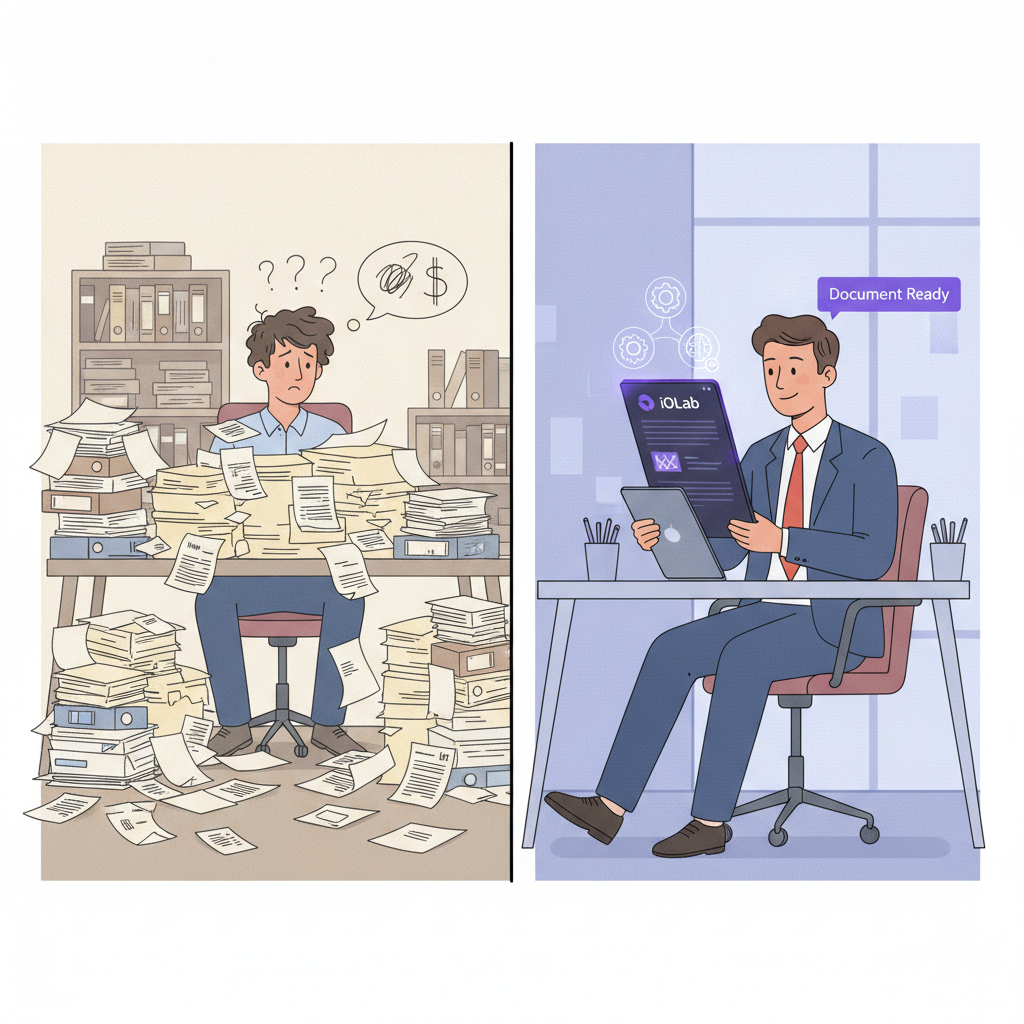
Quotes, Proposals and Contracts: Three Workflows, Three Different Problems
These get lumped together, but each one fails in a different place. Pick the one that hurts most.
Quotes fail on speed. A prospect who asks for a price on Friday is also judging how organized you are. If your quote means pulling numbers from three spreadsheets, you answer on Monday. A quoting workflow suggests line items from your past jobs of the same type, applies your pricing rules for volume, season or client tier, and leaves you to review and send. For trades, that is the idea behind the custom CRM we scope for HVAC and plumbing companies, where estimates sit next to equipment history and invoicing.
Proposals fail on consistency. When three people build proposals by hand, pricing drifts and the logo is wrong on slide seven. The fix is a central service and pricing library, so a rate change updates every future proposal. For teams, add an approval step: any proposal with custom pricing routes to you before it goes out.
Contracts fail on tracking. Signing is the easy part. The cost shows up later: an auto-renewing vendor agreement you missed the cancellation window on, an outdated template with old liability language, or no way to tell whether the subcontractor returned the NDA. A contract workflow adds a searchable repository and renewal alerts, for example at 60, 30 and 7 days out, so you renew or cancel on purpose.
One honest limit: AI can summarize a vendor contract and flag clauses that differ from your standard terms. It is a reading aid, not legal advice. Send anything with real liability or termination language to your own attorney.
What Manual Document Work Costs You
We are not going to hand you an industry statistic here, because we could not verify a current, document-specific figure for this post. Run your own numbers instead. They are more convincing than anyone else's, and they take ten minutes.
- List every document type you produce: quote, proposal, agreement, renewal notice, onboarding packet.
- For each, count how many you send per week and how many minutes each takes from request to signed copy.
- Multiply by the loaded hourly cost of whoever does the work. If that person is you, use what an hour of billable work is worth.
- Add the days each document sits unsigned. Slow approvals delay cash even when nobody is working on them.
- Note the corrections. Count every time a wrong price, name or clause had to be fixed after sending.
If the total is a few hours a month, buy nothing. If one document type eats several hours every week, that is your first build. A small business workflow audit is the structured way to find it before you commit a budget.
Why SaaS Document Tools Stall
PandaDoc, DocuSign, HoneyBook and Proposify are legitimate products, and for a business with a handful of standard documents they are often the right call. We would not sell you a build you do not need. Owners tend to hit the same four walls as they grow.
- The integration gap. The tool does not share data with your CRM, so you still retype client details before generating anything. You pay for two systems and do the entry twice.
- Template logic. Customization works inside the vendor's rules. Conditional clauses by project type, client tier or location often need workarounds.
- Pricing that scales with you. Many tools charge per user, per document or per signature envelope, and the better AI features often sit on higher plans. Check each vendor's current pricing page, since plans change.
- Data in someone else's house. Finding an 18-month-old contract means logging into another platform and hoping its search works.
Connecting two SaaS tools with a no-code automation service is the usual patch. It works until volume or branching logic grows, which we cover in why owners are moving off Zapier to custom automation.
What a Custom Build Looks Like in Practice
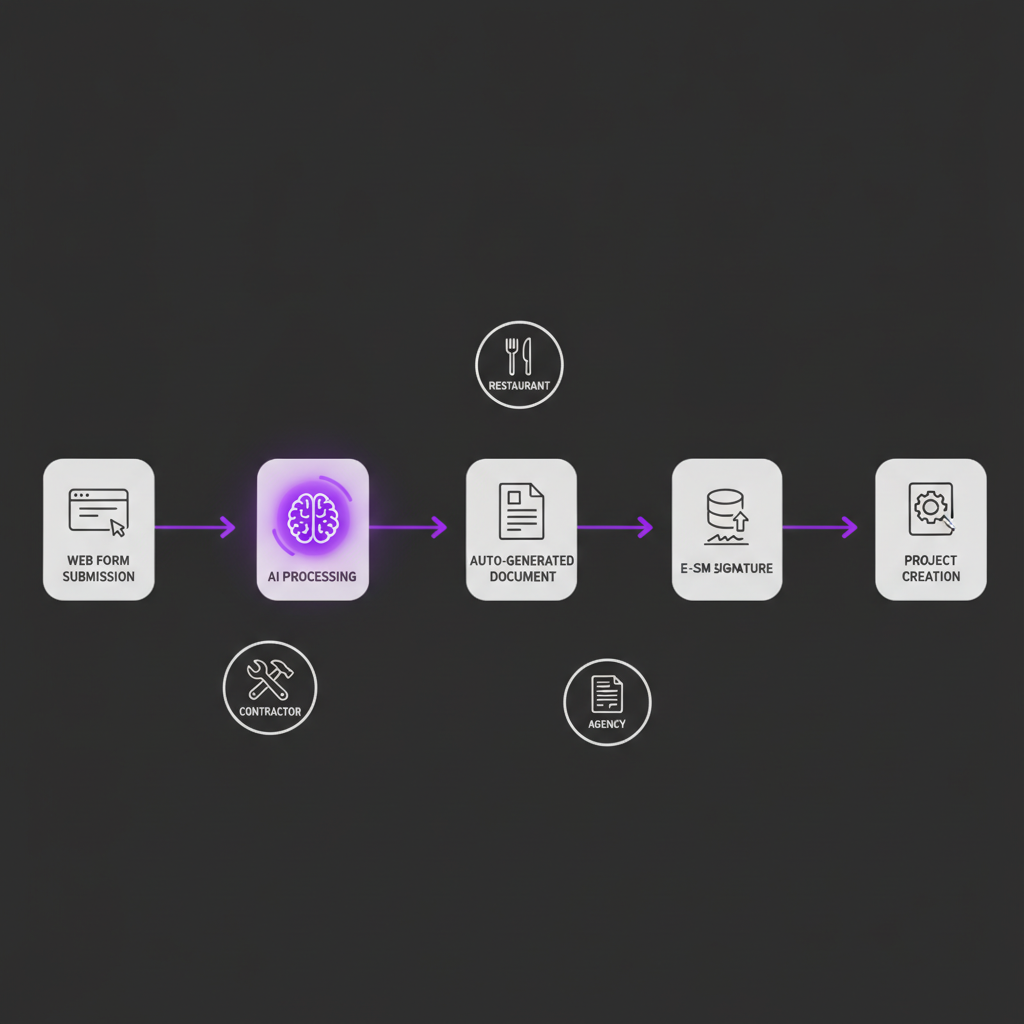
Here is a generic example, not a client story: a landscaping or trades company that prices by the job. The AI workflow automation we build for that kind of flow runs in this order.
- A quote request form on the website writes the client and job details into the CRM.
- The system drafts a price from square footage, service type and your seasonal rules.
- You or an estimator review the draft. This is the human checkpoint, and it stays.
- A branded proposal goes out with an e-signature link, and every open, view and signature is logged to the CRM timeline.
- If the proposal sits unsigned for a set period, a reminder goes out. If it has been opened several times without a signature, it flags you for a personal call.
- On signature, the system creates the project record, schedules the deposit invoice and sends the welcome message.
The review step in the middle is deliberate. Automation should handle the assembly and the chasing, and a person should approve the price.
Features to Demand From Any System
These apply whether you are comparing SaaS plans or talking to a developer.
- Two-way CRM sync. Every document event (sent, opened, signed, declined) updates the CRM. A CSV export you upload by hand does not count.
- Conditional logic. Content changes by client type, tier, location and deal size.
- Versioning and an audit trail. You can show who saw which version and when. Clients ask for revisions, and you need the paper trail when they dispute a number.
- Searchable archive. Find a document by client, date, type or keyword in seconds.
- Mobile signing and quoting. Owners and field crews work from phones. Building and sending a quote from a job site should not require a laptop.
- Human review points. You decide which steps need approval, and the system cannot skip them.
- Reporting. Quote-to-close time, win rate by service type and average deal value, visible without building a spreadsheet. Our post on custom data dashboards shows how that reporting layer gets built.
Be careful with "learns from your wins" claims. A system can report which proposal structures closed more often in your own history, but with a small number of deals that is a pattern to examine, not proof.
Who Gets the Fastest Payoff, and What a Build Costs
The industries with the most repeat paperwork benefit first. Contractors and trades produce quotes, change orders and subcontractor agreements constantly. Professional services run on engagement letters, NDAs and scopes. Restaurants and hospitality carry vendor agreements and staff onboarding forms across locations. For brokerages, the documents attached to each deal are the work, which is why our real estate brokerage CRM ties transactions and documents to the same record.
On cost, our custom-app tiers published on the site run from $15,000 to $100,000+. A single document workflow, such as quote to signed agreement, sits toward the low end of that scale. Adding many document types, approval chains and connected systems moves it up. We scope that in a proposal after mapping your actual documents, and we do not promise a delivery date before that mapping is done.
The difference from a subscription is ownership. Under the project agreement you own the system, so there are no per-document fees or per-user limits from us. Hosting, third-party subscriptions such as an e-signature provider, and ongoing support are separate line items in the proposal. They are not part of the build price.
If you are in Medford, elsewhere in Burlington County, or across South Jersey and the Philadelphia area, we can walk through your documents together. We also work with clients nationwide, remotely.
Frequently Asked Questions
What is AI document automation for small business?
It is software that fills in documents from your CRM or intake form data, reads incoming paperwork and pulls out key fields, and routes each document for approval and signature. A person still reviews anything with legal or pricing weight. The goal is to remove retyping, chasing and filing, not to remove your judgment.
Do I need a custom system, or is a SaaS tool enough?
If you send a few standard documents a month and your tools already share data, a SaaS tool is usually enough. Custom starts to make sense when pricing or clauses change by job type, when you retype data between systems, or when per-seat and per-document fees keep rising. Check current vendor pricing before you decide.
How much does a custom document automation system cost?
It depends on how many document types, approval steps and connected systems you need. Our published custom-app tiers run from $15,000 to $100,000+, and a focused document workflow sits at the lower end of that scale. Hosting, third-party subscriptions and ongoing support are scoped separately in the proposal.
Can AI review a contract for me?
AI can summarize a vendor contract, extract dates and amounts, and flag clauses that differ from your standard terms. It cannot replace a lawyer. Treat its output as a reading aid and send anything with real liability, indemnity or termination language to your own attorney before you sign.
What should I automate first?
Start with the document you send most often and that depends on the same data every time, usually quotes or service agreements. Those have a clear trigger, a clear data source and a clear finish line, so you can see within a few weeks whether the time you spent on them actually dropped.
Prices in this article are starting ranges published on iolab.co/pricing. Hosting, third-party subscriptions and ongoing support are scoped separately in your proposal.
Not sure which document to automate first? Send us the three you create most often and how they get made today. We will map the steps and tell you plainly whether a SaaS tool or a custom build fits. Contact iOLab Digital to start that conversation.